 |
The Stroop Test Game
Game Physics with a 2D Physics Engine
|
|
The Stroop Test Game
Game Physics with a 2D Physics Engine
|
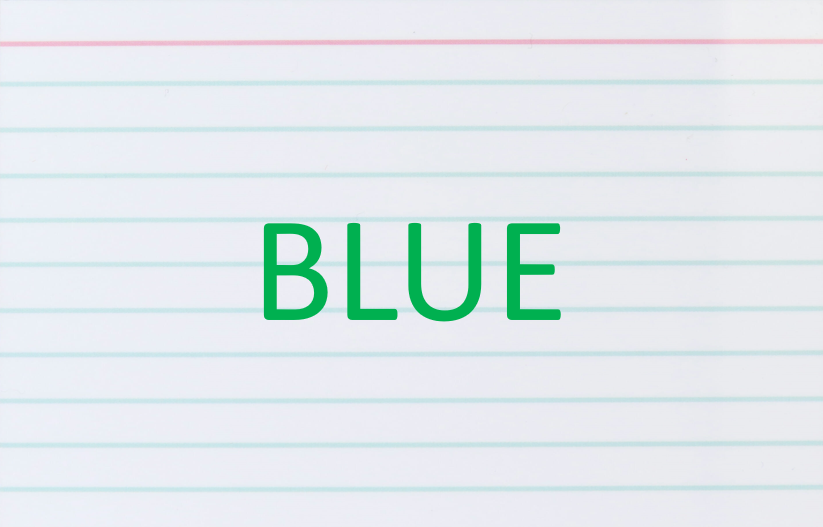
The Stroop Test is used as a measure of attention in standardized psychological tests. The participant is presented with a series of words randomly chosen from "red", "green", and "blue". These words are randomly colored either red, green, or blue, which means that the colors don't necessarily match the words. The participant has to say the word, not the color it is drawn in. For example, the word "blue" in Fig. 1 is colored green, but the participant must say "blue". This is harder than it sounds. Studies have shown that participants take longer to complete the test than they would to recognize just words and colors alone. The Stroop Test Game makes the classical Stroop Test into a game with completely gratuitous and totally unnecessary audiovisual effects including sound, particle effects, and physics (see Fig. 2).
The remainder of this page is divided into five sections. Section 2 lists the controls and their corresponding actions, Section 3 tells you how to build it, Section 4 gives you a list of actions to take in the game to see some of its important features, Section 5 gives a breakdown of the code, and Section 6 addresses the question "what next?".
| Help (this document) | |
| Toggle draw mode from "sprites only", to "sprites and lines", to "lines only" | |
| Toggle drawing of air pressure | |
| Toggle drawing of wind vectors | |
| Toggle drawing of vertices | |
| Toggle drawing of particle effects | |
| Hit for red words | |
| Hit for green words | |
| Hit for blue words | |
| Save screenshot to a file | |
| Quit game and close the window |
This code uses SAGE and Box2D. Make sure that you have followed the SAGE Installation Instructions and the Box2D Installation Instructions. Navigate to the folder 12. Stroop Test Game in your copy of the sage-physics repository. Run checkenv.bat to verify that you have set the environment variables correctly. Open Stroop Test Game.sln with Visual Studio and build the Release configuration. Alternatively, run Build.bat to build both Release and Debug configurations.
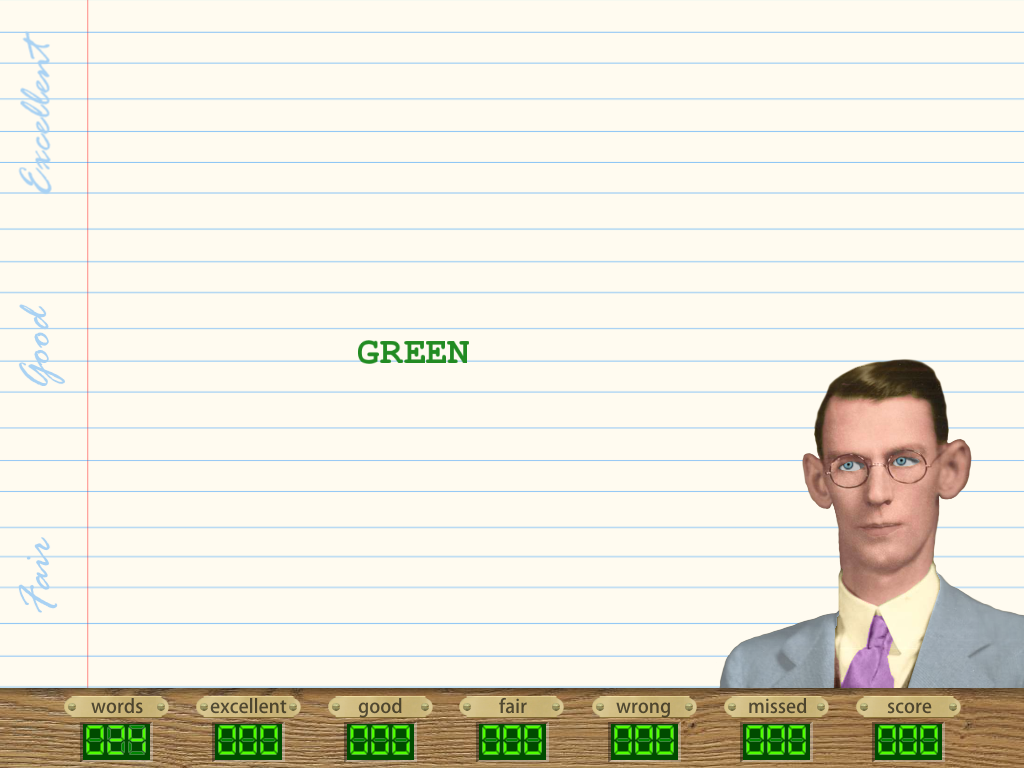
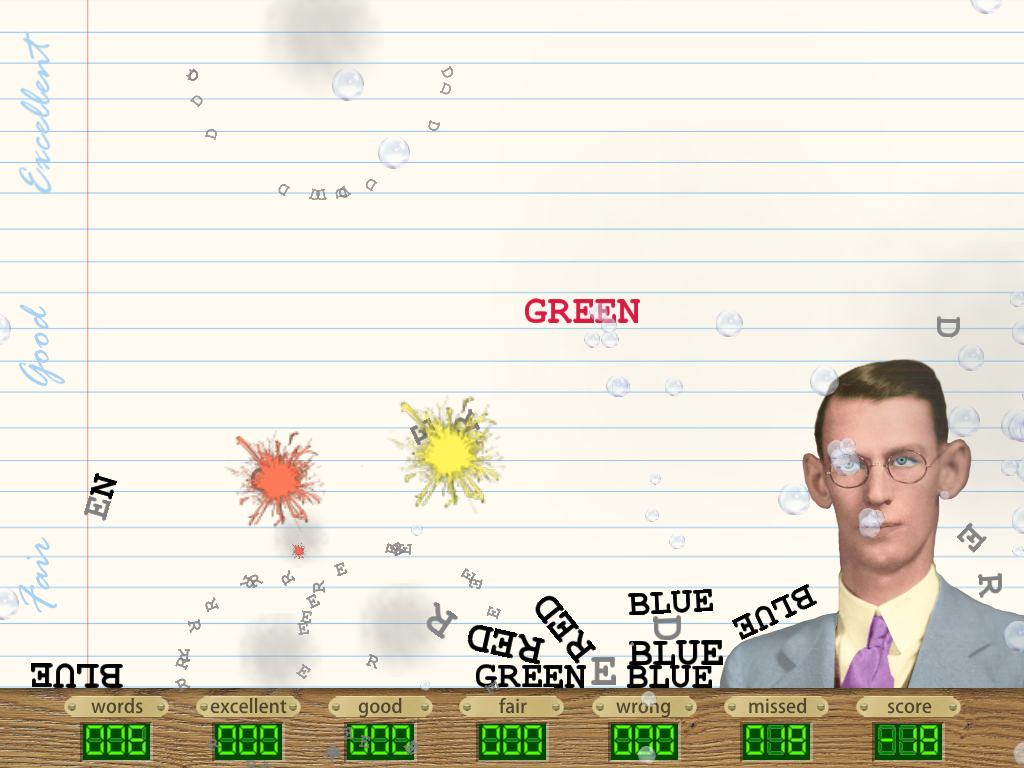
After a few explanatory pages have been displayed the main part of the game begins and a series of colored words drops from the top of the window, passing through horizontal regions marked excellent, good, and fair at the left of the window. The player must hit a key (see Section 2) corresponding to the word (not its color) before the word falls to the bottom of the window and goes out of play, at which time it turns black and spawns a cloud of bubbles. Only one word will be in play at a time and that word will be the only one that is red, green, or blue (see Fig. 3). If the player manages to hit the correct key before the word goes out of play, then the word will explode, generating a smoke cloud and a spray of letters in all directions. The bubbles, which are totally gratuitous except for serving as a distraction to the player, drift generally upwards and are blown about by passing words and by explosions.
At the bottom of the window is a score bar that keeps track of, from left to right, the number of words dropped, the number exploded in the excellent region, the number exploded in the good region, the number exploded in the fair region, the number that the player got wrong (hitting the wrong key). the number that the player missed (not hitting a key before the word goes out of play), and a somewhat dubious score (which can be negative) computed from these statistics. As you might expect, you get more points for correctly exploding a word in the excellent region than you do for exploding a word in the good region, which in turn gives you more points than you do for exploding a word in the fair region. This means that you must be both fast and accurate to get a high score. Out-of-play words at the bottom of the screen will eventually explode but do not contribute to the score. These unexpected explosions are yet another distraction to the player, as is the fact that the image of John Ridley Stroop (the inventor of the Stroop test) at the right of the window moves its eyes to follow the current word in play.
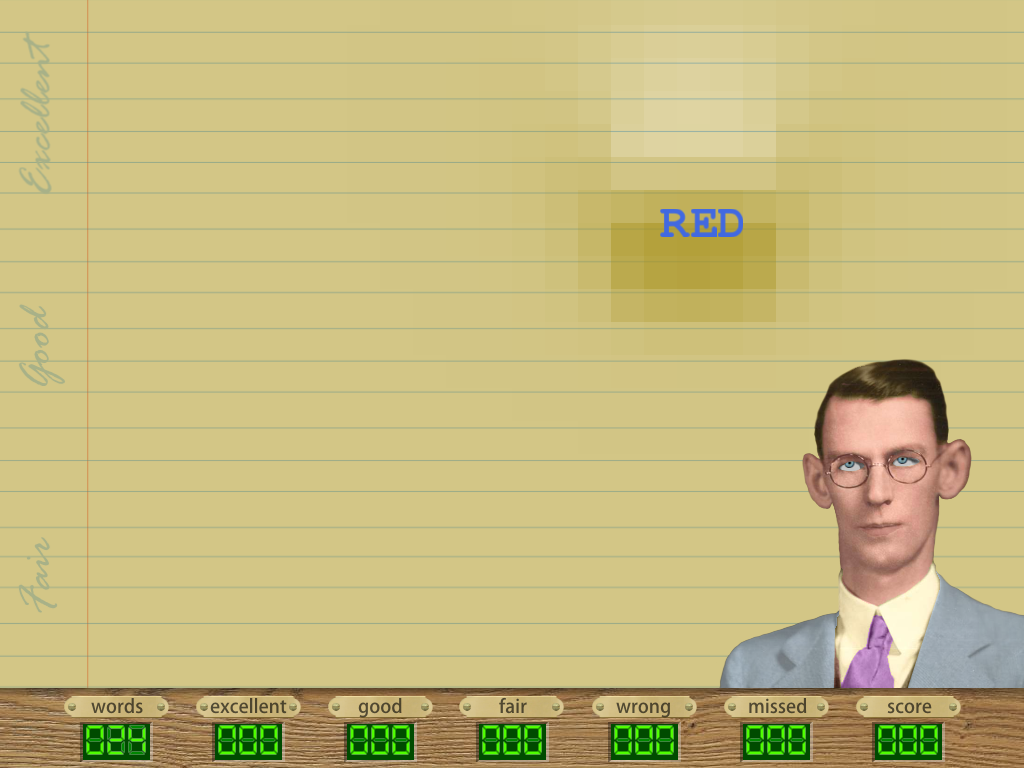
The bubbles mentioned in the previous paragraph are blown about by a vector field. We place evenly spaced grid points throughout the play area, and at each point we store a floating point pressure and a vector (hence the name vector field). Pressure is increased in front of a falling word and reduced behind it. For example Fig. 4 shows in various shades of brown, with darker shades indicating higher pressure.
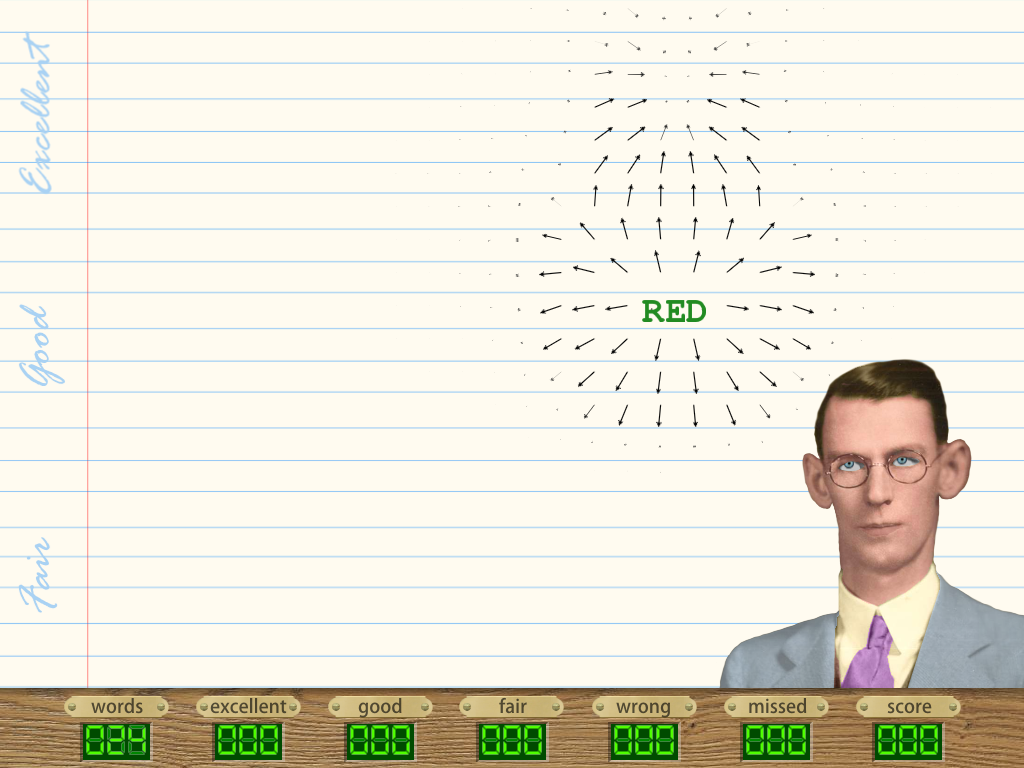
The vectors point from grid points with higher pressure towards a nearby area with lower pressure, as shown in Fig. 5. The magnitude of each vector is proportional to the pressure difference.
The grid points are also shown with the vectors in Fig. 6.
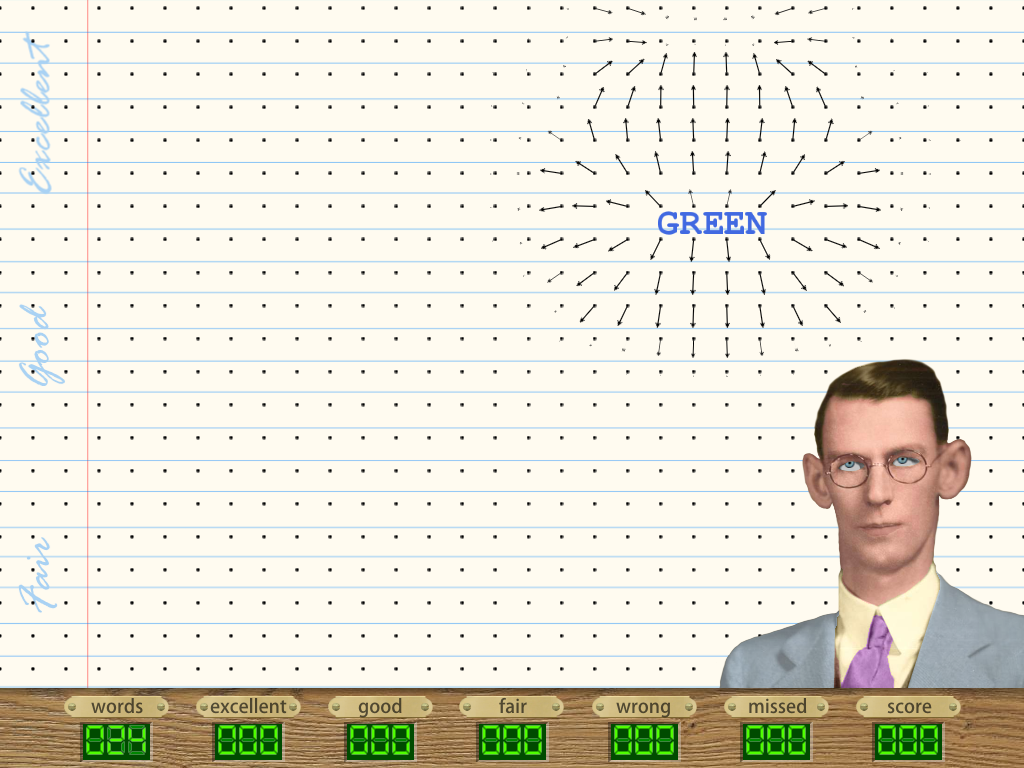
These effects are not intended for use in the game - they are just there to show programmers what is going on behind the scenes. They can be toggled on an off using the function keys listed in Section 2.
This section is divided into four subsections, one for each of the most important physics-oriented parts of the code. Section 5.1 describes the vector field used to create the wind that blows the bubbles around, Section 5.2 describes the bubble engine which manages the bubbles, Section 5.3 describes the John Stroop caricature, and Section 5.4 describes how the colored words are created, maintained, and destroyed.
The vector field shown in Fig. 5 is implemented in CVectorField. The field points, called vertices, shown in Fig. 6 are stored there in a 2D array of instances CVertex. A single instance of CVectorField is created in CGame::Initialize and a pointer to that instance is stored in CCommon::m_pVectorField for common use. CVertex maintains a vector CVertex::m_vVector for the wind direction at a vertex and a floating point CVertex::m_fPressure for the air pressure at a vertex.
CVectorField::Update is called once per letter from CObjectManager::Update, with parameters describing the letter's position and velocity in Physics World. CObjectManager::Update is called once per animation frame from CGame::ProcessFrame. CVectorField::Update finds the vertex closest to the letter using CVectorField::GetClosestVertex. It then updates the pressure at that vertex by calling the private version of CVectorField::Update. Air pressures are also drastically changed at vertices close to an explosion when CVectorField::Detonate, which is called from CObjectManager::AnimateJointExplosion when a word explodes due to user input or CObjectManager::ExplodeOldWords expiration, and from ExplodeOldLetters when expired letters themselves explode. Vectors and pressures are smoothed out by calling CVectorField::Step once per frame from CObjectManager::Update.
The bubbles emitted when the words collide with the bottom edge (for example, see Fig. 2) are managed by a bubble engine. The bubble engine is implemented in CBubbleEngine, which is a specialized particle engine derived from Sage::Sage::CParticleEngine2D. A single instance of CBubbleEngine is created in CGame::Initialize and a pointer to that instance is stored in CCommon::m_pBubbleEngine for common use. Its constructor CBubbleEngine::CBubbleEngine takes a pointer to an instance of CVectorField which is stores in CBubbleEngine::m_pVectorField. CBubbleEngine has a function CBubbleEngine::Step that is called once per animation from from CGame::ProcessFrame. CBubbleEngine::Step iterates through a list of bubbles and adds to the velocity of each bubble a constant times the vector stored in the closest grid point in the vector field pointed to by CBubbleEngine::m_pVectorField (see Section 5.1).
The caricature of John Stroop with swivelling eyeballs is implemented in CStroop. The shape outlining his head is a simple list of b2EdgeShape created in the constructor CStroop::CStroop. It would be tempting to use b2PolygonShape instead, but unfortunately Box2D only allows a small number of vertices, and additionally the polygon must be convex, which as Fig. 7 shows, John Stroop's head is definitely not. CStroop::CStroop has a local array v2Stroop with NUMPOINTS = 46 points that were read from the sprite image using an image editor.
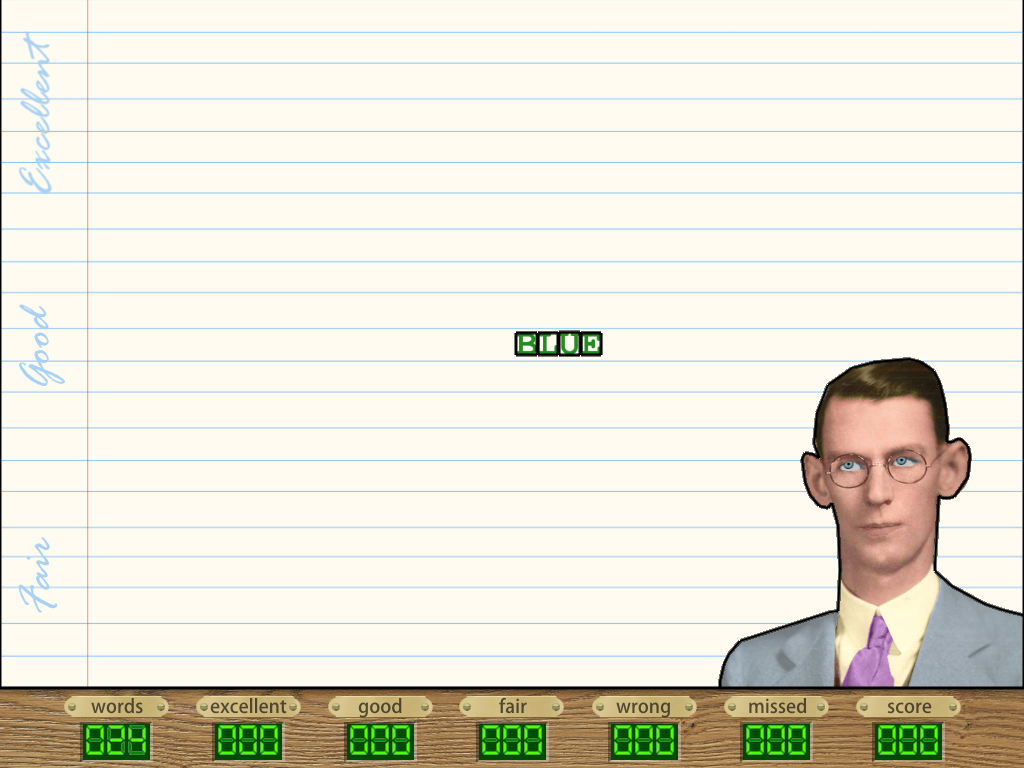
Each letter of the colored words is implemented as an instance of CObject. These are managed by an instance of CObjectManager. CObjectManager::CreateWorldEdges creates the Physics World shapes for the world edges at the left and right sides of the window and at the top of the score bar as shown in Fig. 7. Compare this to Fig. 3 for example. The shapes for each word are created in CObjectManager::CreateWord. As you can see in in Fig. 7, each letter is a b2PolygonShape set using b2PolygonShape::SetAsBox. The letters are connected in sequence using b2WeldJoints. CObjectManager::CreateWord is called from CObjectManager::CreateRandomWord, which is called periodically from CGame::ProcessState when the game state CCommon::m_eGameState is eGameState::Playing. CGame::ProcessState is called from CGame::ProcessFrame, which is automatically called once per animation frame. Word explosion is handled by CObjectManager::ExplodeOldWords, which destroys the joints between the letters and applies an impulse to each letter (we have already seen something similar in the Cannon Game when the cannon explodes).
Next, take a look at the Binary Counter Toy.
 1.12.0