 |
The Cannon Lullaby Toy
Game Physics with a 2D Physics Engine
|
|
The Cannon Lullaby Toy
Game Physics with a 2D Physics Engine
|
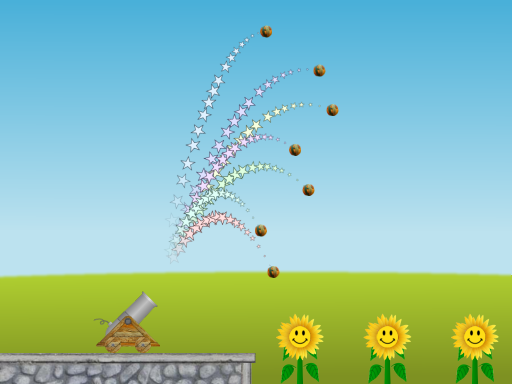
The Cannon Lullaby Toy has three sunflowers, each of which plays a different note when struck by a ball launched from a cannon (see Fig. 1).The cannon fires seven balls simultaneously at different velocities so that the sunflowers play the first seven notes of the classic lullaby "Twinkle Twinkle Little Star". The cannonballs leave trails of stars so that their parabolic trajectories are clearly visible. You can see how these trajectories change when you move the cannon or change the height of the flowers (however, the cannon will break if you drive it over the edge of the platform). The cannon barrel is fixed at about 45 degrees. "Twinkle Twinkle Little Star" is hard-coded as "CCGGAAG" played at about three beats per second, but this is pretty easy to change in the code.
The remainder of this page is divided into five sections. Section 2 lists the controls and their corresponding actions, Section 3 tells you how to build it, Section 4 gives you a list of actions to take in the game to see some of its important features, Section 5 gives a breakdown of the code, and Section 6 addresses the question "what next?".
| Help (this document) | |
| Toggle draw mode from "sprites only", to "sprites and lines", to "lines only" | |
| Left flower up (tap or hold down) | |
| Left flower down (tap or hold down) | |
| Center flower up (tap or hold down) | |
| Center flower down (tap or hold down) | |
| Right flower up (tap or hold down) | |
| Right flower down (tap or hold down) | |
| Fire cannon | |
| Start cannon moving left | |
| Start cannon moving right | |
| Stop cannon | |
| Save screenshot to a file | |
| Quit game and close the window |
This code uses SAGE and Box2D. Make sure that you have followed the SAGE Installation Instructions and the Box2D Installation Instructions. Navigate to the folder 14. Cannon Lullaby Toy in your copy of the sage-physics repository. Run checkenv.bat to verify that you have set the environment variables correctly. Open Cannon Lullaby Toy.sln with Visual Studio and build the Release configuration. Alternatively, run Build.bat to build both Release and Debug configurations.
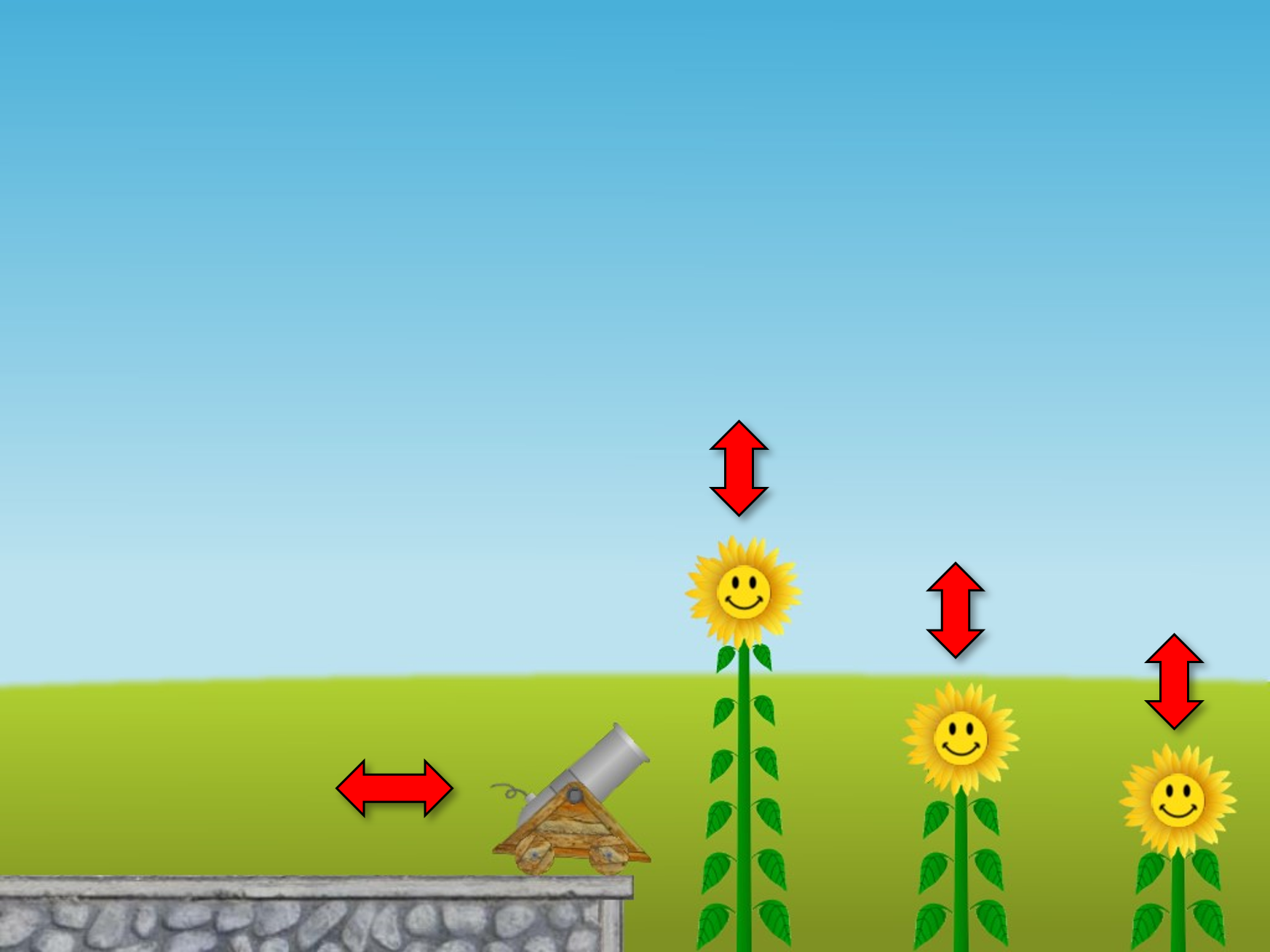
Using the keyboard commands in Section 2, move the flowers up and down and move the cannon horizontally to a new position (see Fig. 2). Verify by experiment that the cannonballs always hit the correct sunflowers at the correct time to play "Twinkle Twinkle Little Star".
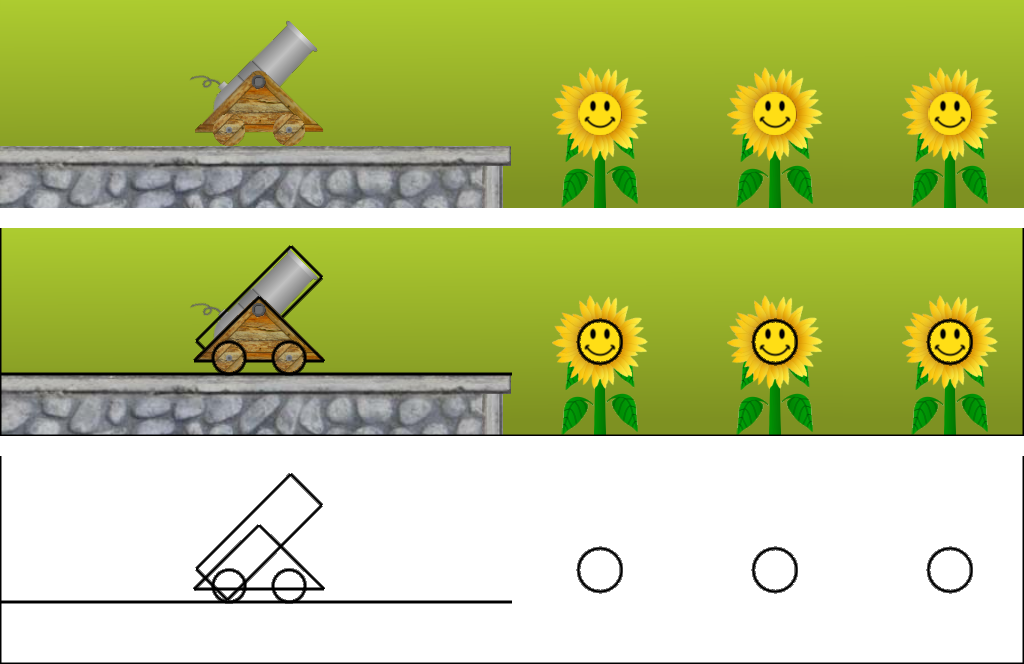
Fig. 3 shows the toy drawn in regular mode with sprites (top), with sprites overlaid with Physics World shapes (middle), and with shapes only (bottom). The edges of the world and the ledge that the cannon sits on are created in CObjectManager::CreateWorldEdges. A pointer to a Physics body to which the edge shapes are attached is stored in CObjectManager::m_pEdges only so that they can be drawn to the window when called for (see Fig. 3). The Physics World circle shapes for the flowers are created in CObjectManager::CreateBells, which calls CObjectManager::CreateBell once for each bell. The Physics World shapes for the cannon are created in CCannon::CreateBase, CCannon::CreateBarrel, and CCannon::CreateWheel, which are called from CCannon::Initialize. The Physics World bodies for the cannonballs are created in CCannon::Fire, which is called from CGame::KeyboardHandler in response to the VK_SPACE key (see Section 2 for more keyboard controls).
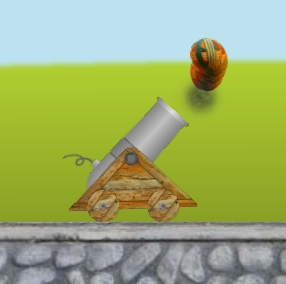
CCannon::Fire creates an instance of CObject for each cannonball which includes a pointer to a new Physics World body with a circle shape attached to it. One cannonball is created for each note and all are initially placed at the same spot in front of the cannon. For example, Fig. 4 shows the cannonballs a few seconds after they have been created. This means that Box2D will have to be informed that the cannonballs do not collide with each other, which we achieve by setting their fixture definition group index filter.groupIndex equal to -1. Each cannonball will have a different velocity so that they impact with the right flower at the right time to play the lullaby. There is a contact listener class CMyListener whose presolve function CMyListener::PreSolve ensures that the flowers play, from left to right, the notes C, G, and A, as shown in Fig. 5.
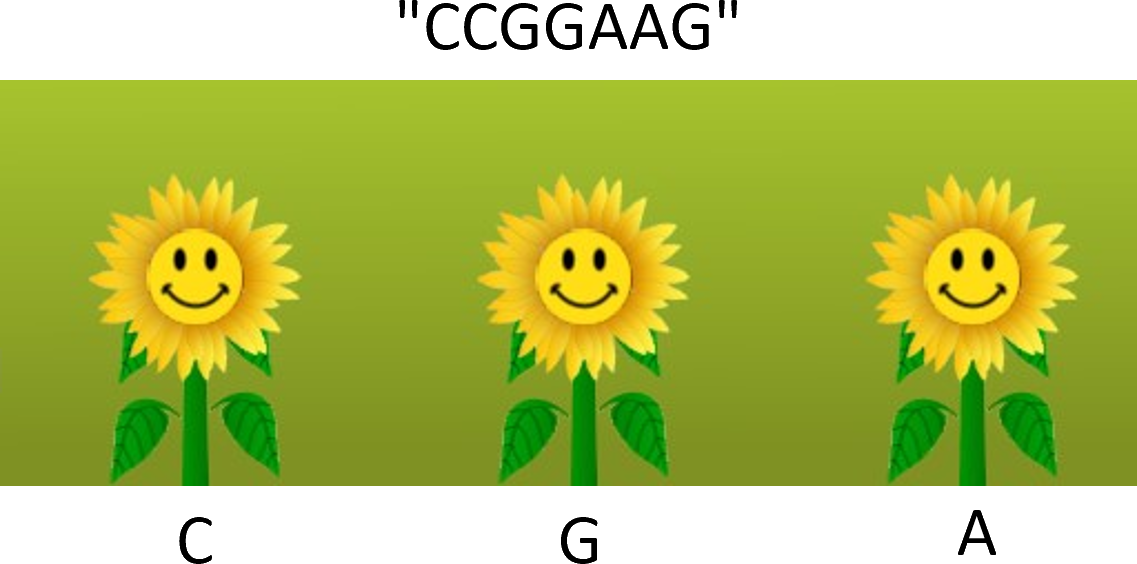
CCannon::Fire has a local character array notes set to the sequence of notes to play, and another local variable n which is automatically set to the number of notes. To change the lullaby, simply change the notes string, although you are limited to the notes C, G, and A unless you add more sounds and, if necessary, more flowers to the code.
char notes[] = "CCGGAAG";
const size_t n = strlen(notes);
It also has a constant DELAY, which is a delay time in seconds before the first note is played, and TICK, which is a constant delay time between notes in seconds. These can be changed to reasonable values sufficiently greater than zero.
const float DELAY = 2.8f;
const float TICK = 0.33f;
The time to impact for ball number i is then:
const float t = DELAY + i*TICK;
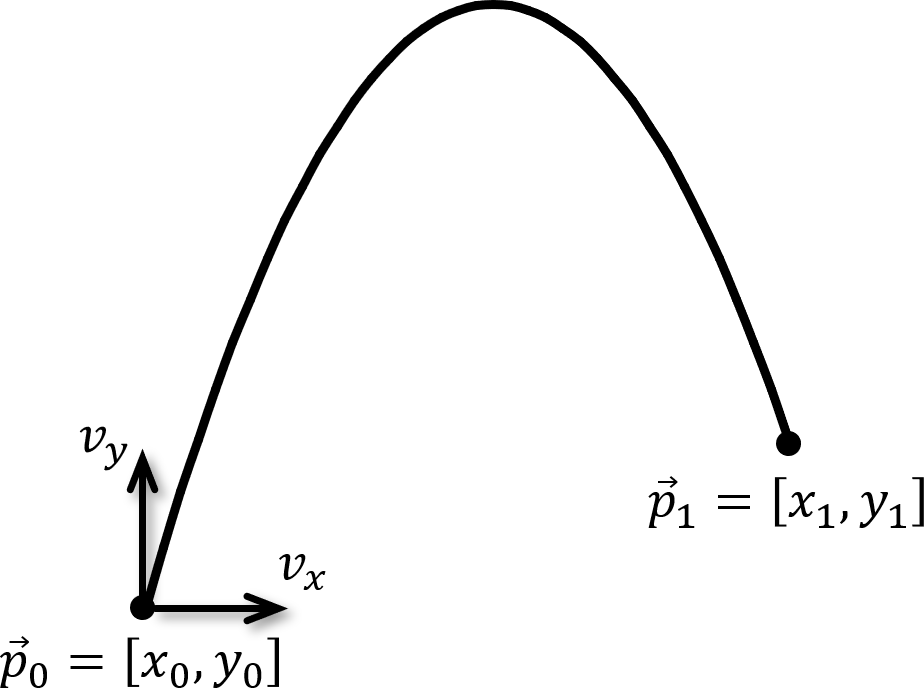
As shown in Fig. 6, we need to find the velocity \(\vec{v} = [v_x, v_y]\) such that a cannonball fired from \(\vec{p}_0 = [x_0, y_0]\) will arrive at \(\vec{p}_1 = [x_1, y_1]\) in time \(t\), for some reasonable \(t > 0\). Clearly, \(v_x = (x_1 - x_0)/t\). The best way to find \(v_y\) is to use relative velocity.
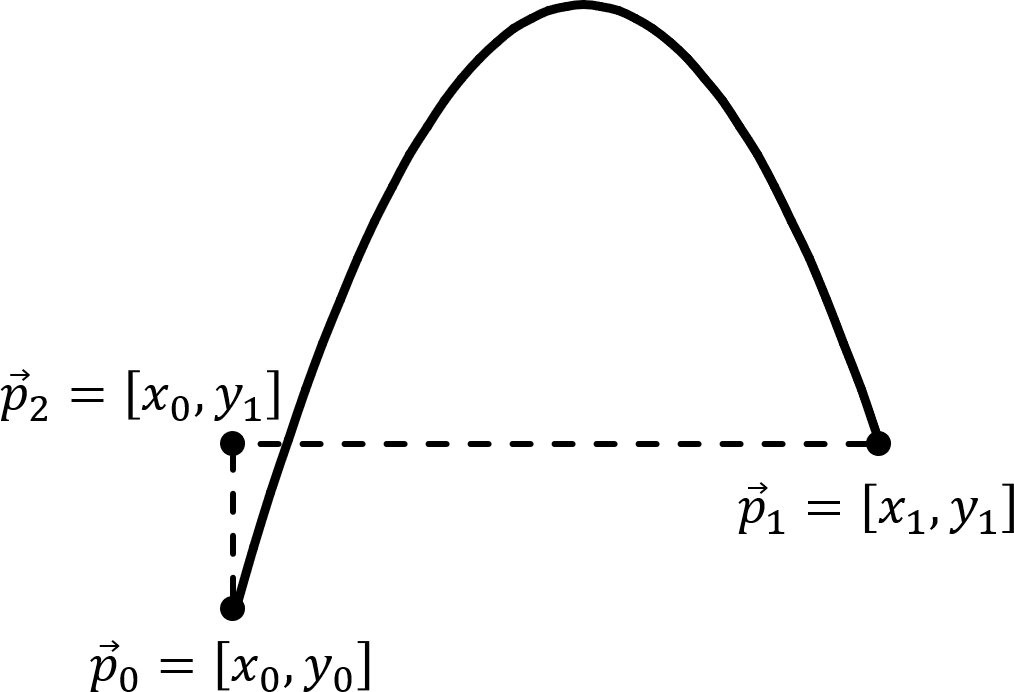
Let \(\vec{p}_2 = [x_0, y_1]\) be the point above \(\vec{p}_0\) and level with \(\vec{p}_1\), as shown in Fig. 7. Consider a point \(\vec{p}\) moving vertically from \(\vec{p}_0\) to \(\vec{p}_2\) at constant speed \((y_1 - y_0)/t\). It leaves \(\vec{p}_0\) at the same time as the cannonball, and arrives at \(\vec{p}_2\) at time \(t\), which is when the cannonball arrives at point \(\vec{p}_1\). Relative to \(\vec{p}\) the cannonball is fired at vertical speed \(v_y - (y_1 - y_0)/t\) and moves on a parabola a horizontal distance of \(x_1 - x_0\).
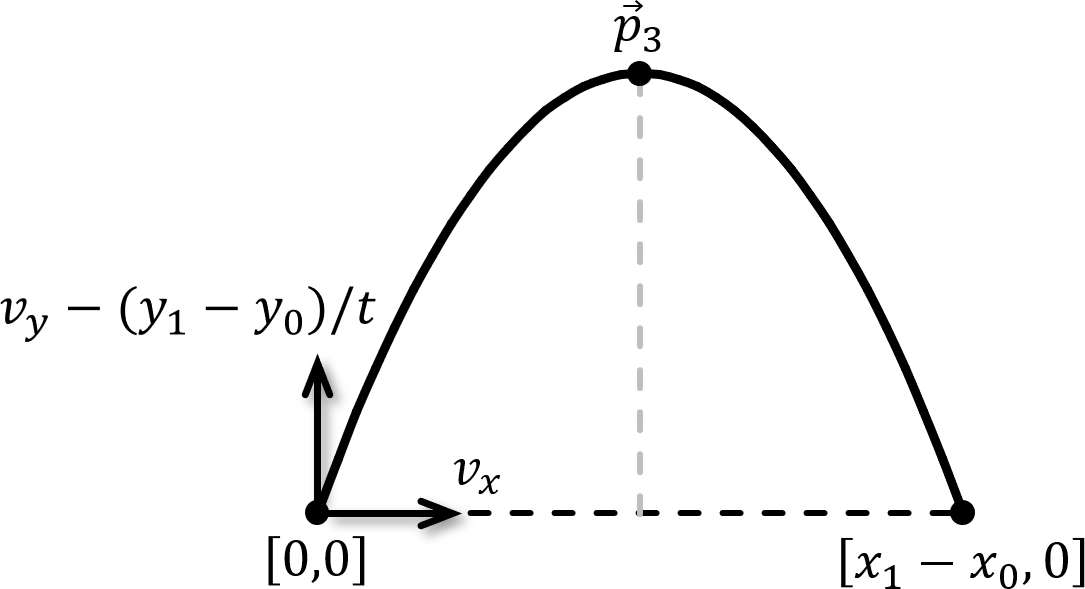
Suppose we translate everything so that \(p_0\) is at the origin \([0,0]\), as shown in Fig. 8. The cannonball reaches the midpoint of this parabola ( \(p_3\) in Fig. 8) at time \(t/2\), at which time the vertical component of its velocity is zero.
Using the equation \(v = u+at\),
\[ \vec{v}_y - (y_1 - y_0)/t - gt/2 = 0, \]
where \(g\) is the absolute value of acceleration due to gravity. That is,
\[ \vec{v}_y = (y_1 - y_0)/t + gt/2. \]
Therefore,
\[ \vec{v} = [(x_1 - x_0)/t, (y_1 - y_0)/t + gt/2] = (p_1 - p_0)/t +[0, gt/2]. \]
This is reflected in the following code in CCannon::Fire:
b2Vec2 v = (1.0f/t)*(p1 - p0);
v.y += m_fGravity*t/2.0f;
(Note: the multiplication by 1.0f/t is because Box2D does not have a b2Vec2 divide-by-float operation). The static member variable m_fGravity inherited from CCommon holds the value of \(g\) in the above formulae. Since CGame is also derived from CCommon, this ensures that the line
m_pPhysicsWorld = new b2World(b2Vec2(0, -m_fGravity));
in CGame::Initialize sets the gravity in Physics World to the same value. Finally, we use b2Body's SetLinearVelocity function to set each cannonball's velocity to v as described above.
Next, take a look at the Bullet Physics Block Toy.
 1.12.0