 |
The Cannon Lullaby Toy
Game Physics with a 2D Physics Engine
|
Loading...
Searching...
No Matches
|
The Cannon Lullaby Toy
Game Physics with a 2D Physics Engine
|
The game class.
#include <Game.h>
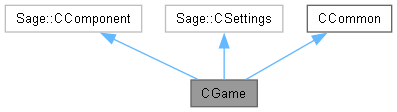
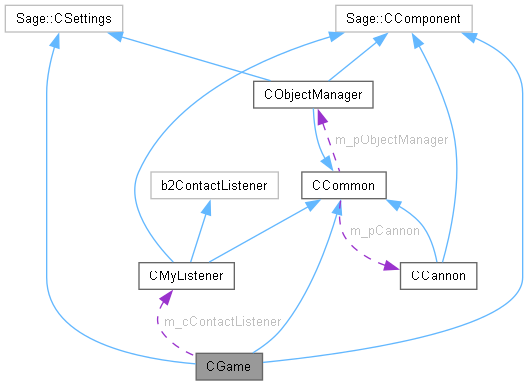
Public Member Functions | |
| ~CGame () | |
| Destructor. | |
| void | Initialize () |
| Initialize the game. | |
| void | ProcessFrame () |
| Process an animation frame. | |
| void | Release () |
| Release the renderer. | |
Private Member Functions | |
| void | LoadSprites () |
| Start loading sprites. | |
| void | LoadSounds () |
| Load sounds. | |
| void | BeginGame () |
| Begin playing the game. | |
| void | KeyboardHandler () |
| The keyboard handler. | |
| void | RenderFrame () |
| Render an animation frame. | |
| void | ProcessState () |
| Process game state. | |
Private Attributes | |
| eGameState | m_eGameState = eGameState::Loading |
| Game state. | |
| CMyListener | m_cContactListener |
| Contact listener. | |
Additional Inherited Members | |
 Static Protected Attributes inherited from CCommon Static Protected Attributes inherited from CCommon | |
| static b2World * | m_pPhysicsWorld = nullptr |
| Pointer to Box2D Physics World. | |
| static CBox2DRenderer * | m_pRenderer = nullptr |
| Pointer to Render World. | |
| static CObjectManager * | m_pObjectManager = nullptr |
| Pointer to the Object Manager. | |
| static Sage::CParticleEngine2D * | m_pFrontParticleEngine = nullptr |
| Pointer to front particle engine. | |
| static Sage::CParticleEngine2D * | m_pBackParticleEngine = nullptr |
| Pointer to front particle engine. | |
| static CCannon * | m_pCannon = nullptr |
| Pointer to a cannon. | |
| static Vector2 | m_vBellPos [NUMBELLS] = {Vector2(0.0f)} |
| Positions of bells. | |
| static float | m_fGravity = 20.0f |
| Magnitude of gravity in Render World units. | |
| static eDrawMode | m_eDrawMode = eDrawMode::Sprites |
| Draw mode. | |
| CGame::~CGame | ( | ) |
Call Render World's Release function to do the required Direct3D cleanup, then delete Render World and the Object Manager. Also delete Physics World, which MUST be deleted after the Object Manager because of way things are set up.
|
private |
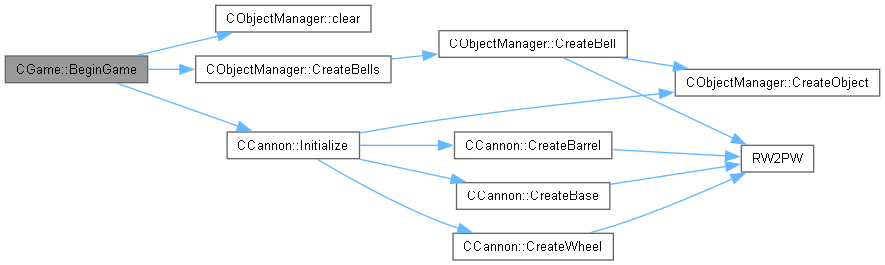
Clear any old objects out of the Object Manager and create the edges of the game world, which correspond to the edges of the window.

| void CGame::Initialize | ( | ) |
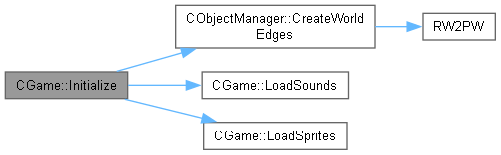
Initialize Render World and the Object Manager, load images and sounds, start the timer, and begin the game.

|
private |
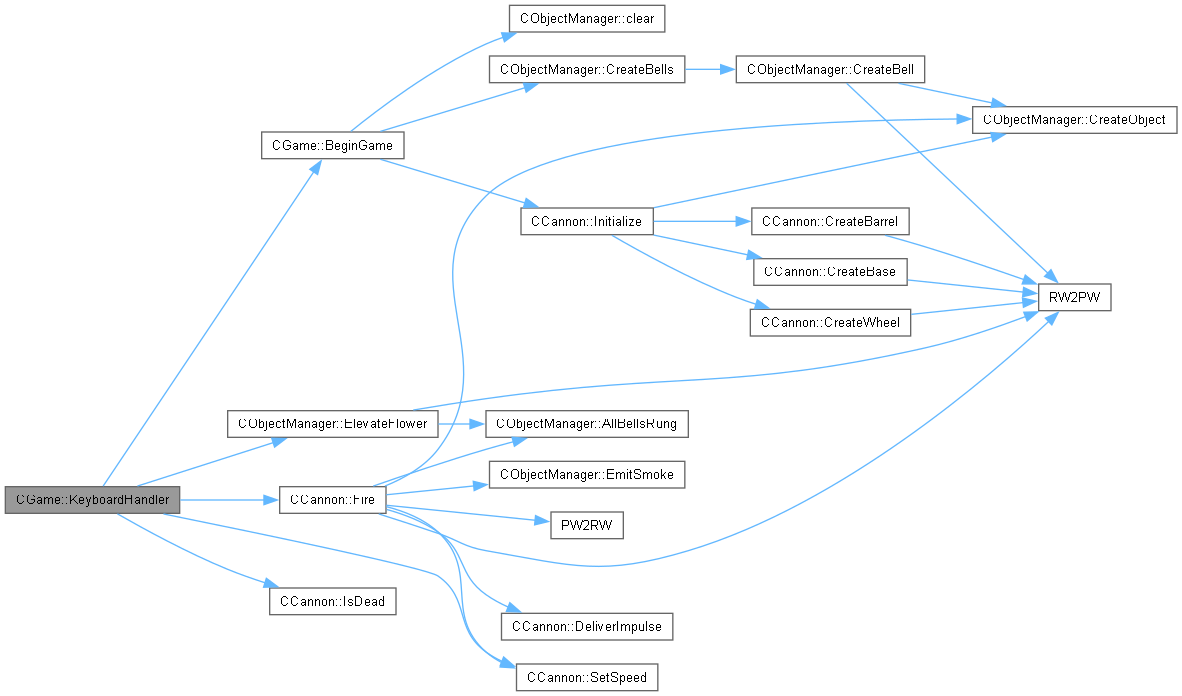
Poll the keyboard state and respond to the key presses that happened since the last frame.

|
private |
Initialize the audio player and load game sounds.

|
private |
Load the sprites for this game.

| void CGame::ProcessFrame | ( | ) |
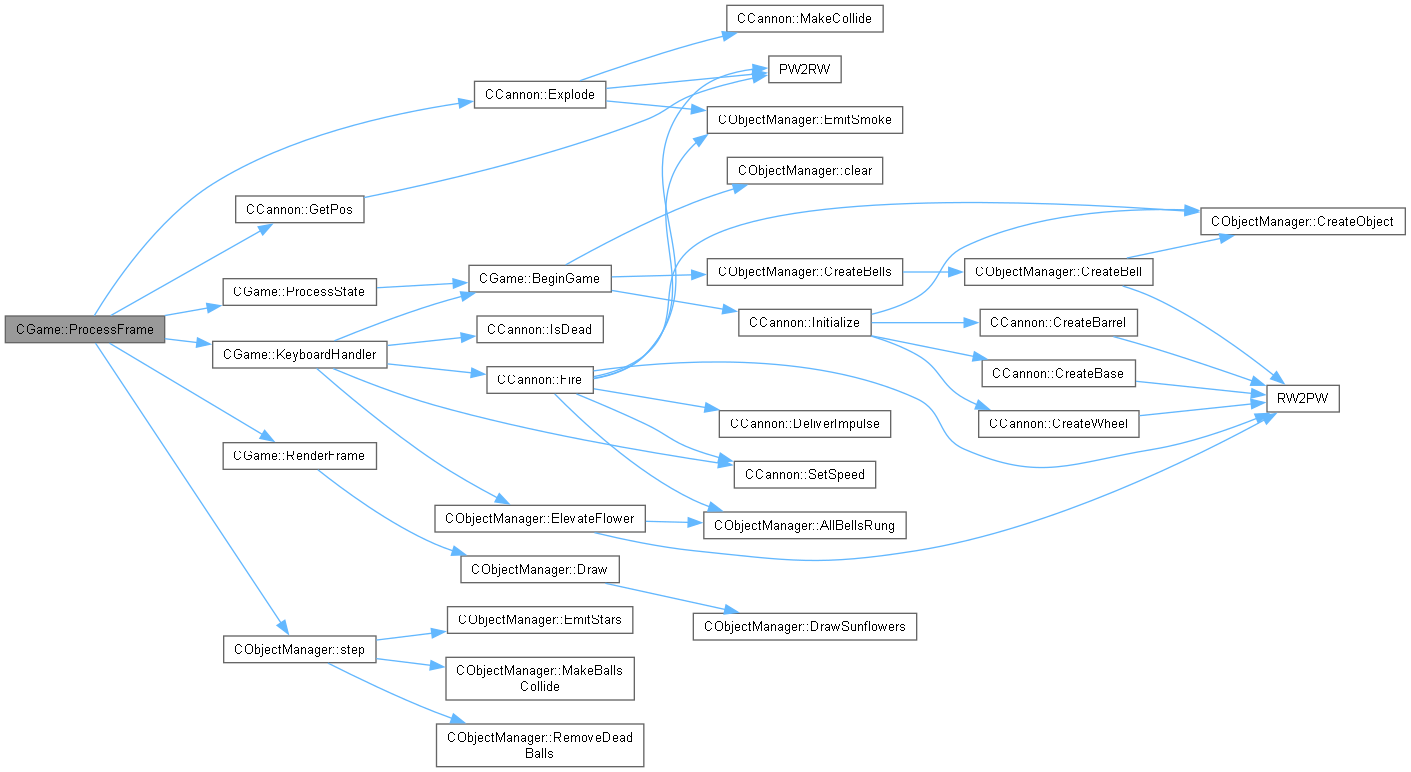
Handle keyboard input, move the game objects and render them in their new positions and orientations. Notify the timer of the start of the frame so that it can calculate frame time.

|
private |
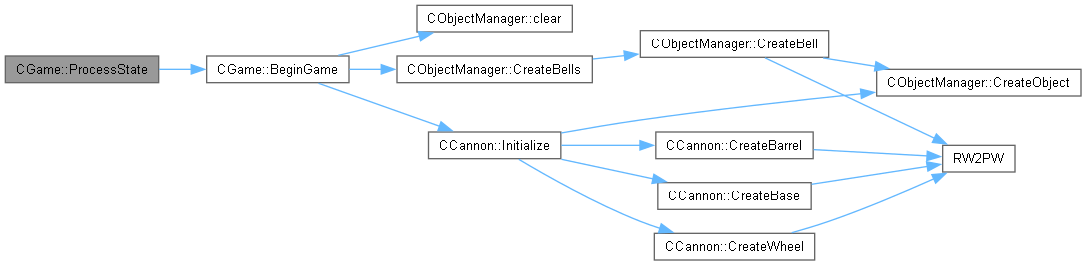
Take action appropriate to the current game state.

| void CGame::Release | ( | ) |
Release all of the DirectX12 objects by deleting the renderer.

|
private |
Ask the Object Manager to draw the game objects. Render World is notified of the start and end of the frame so that it can let Direct3D do its pipelining jiggery-pokery.


 1.12.0