 |
Bullet Physics Block Toy
Game Physics with a 3D Physics Engine
|
|
Bullet Physics Block Toy
Game Physics with a 3D Physics Engine
|
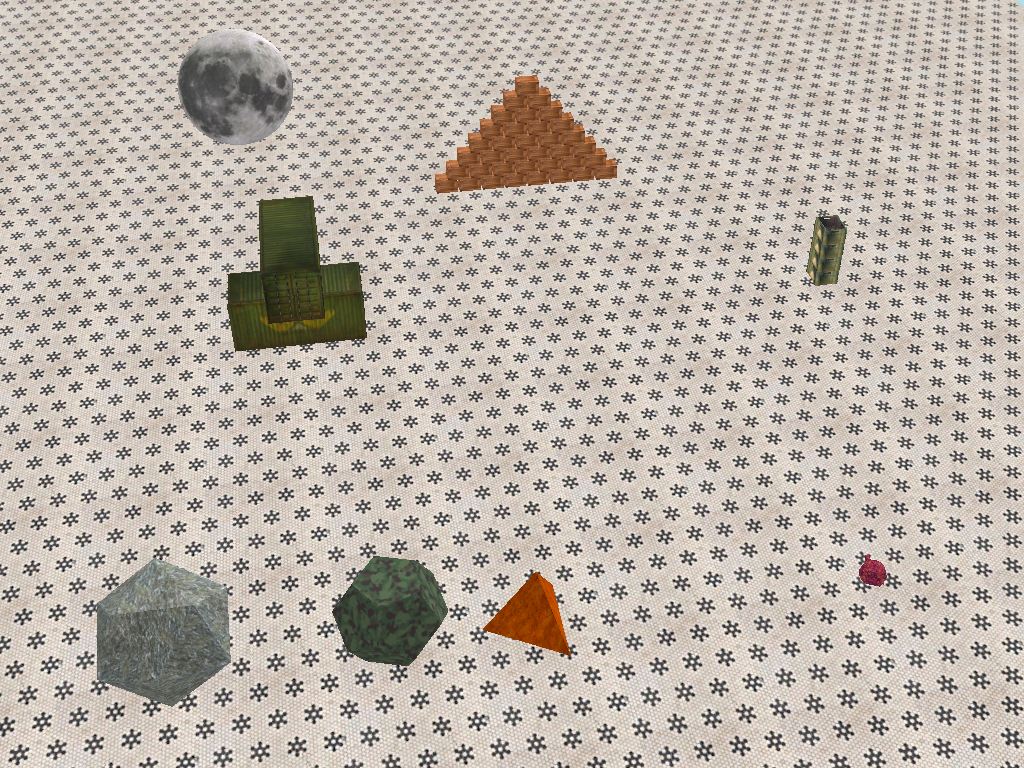
A simple 3D toy using Bullet Physics consisting of various things (see Fig. 1) that you can knock over by throwing soccer balls at them. The remainder of this page is divided into five sections. Section 2 lists the controls and their corresponding actions, Section 3 tells you how to build it, Section 4 gives you a list of actions to take in the game to see some of its important features, Section 5 gives a breakdown of the code, Section 6 contains some programming problems, and Section 7 addresses the question "what next?".
This toy can be played with either the keyboard or an XBOX controller. The keyboard is disabled if a controller is plugged in.
| Help (this document) | ||
| Throw a ball along the view vector. | ||
| Camera orientation. | ||
| Camera motion (relative to the view vector). | ||
| Reset to initial conditions. | ||
| Save screenshot to a file | ||
| Quit game and close the window |
This code uses SAGE and Bullet Physics. Make sure that you have followed the SAGE Installation Instructions and the Bullet Physics Installation Instructions. Navigate to the folder 15. Bullet Physics Block Toy in your copy of the sage-physics repository. Run checkenv.bat to verify that you have set the environment variables correctly. Open Bullet Physics Block Toy.sln with Visual Studio and build the Release configuration. Alternatively, run Build.bat to build both Release and Debug configurations.
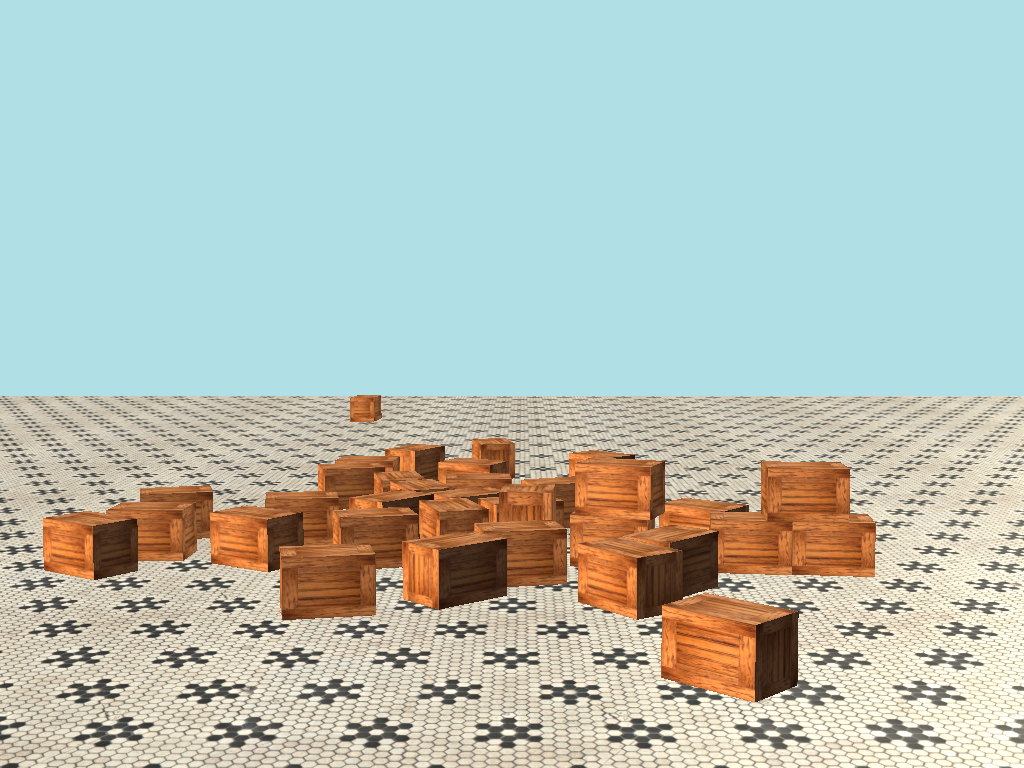
Navigate around the world using the controls in Section 2 and launch soccer balls to knock down the pile of of creates as shown in Fig. 2. With enough patience and perseverance you can push everything in in Fig. 1 off the edge of the world.
Shapes and models are rendered using DirectX::GeometricPrimitive and DirectX::Model. The latter is loaded using function Model::CreateFromSDKMESH which requires that the models be in SDKMESH format. The 3D models are from free3d.com and were converted from OBJ format using DirectXMesh. Collision detection and response is handled by Bullet Physics.
DirectX::GeometricPrimitive requires the use of quaternions to specify orientation, more specifically DirectX::SimpleMath::Quaternion. Bullet Physics uses btQuaternion. We provide a method for casting instance of DirectX::SimpleMath::Quaternion to an instance of btQuaternion as a version of RW2PW in GameDefines.h, and the reverse as an instance of PW2RW.
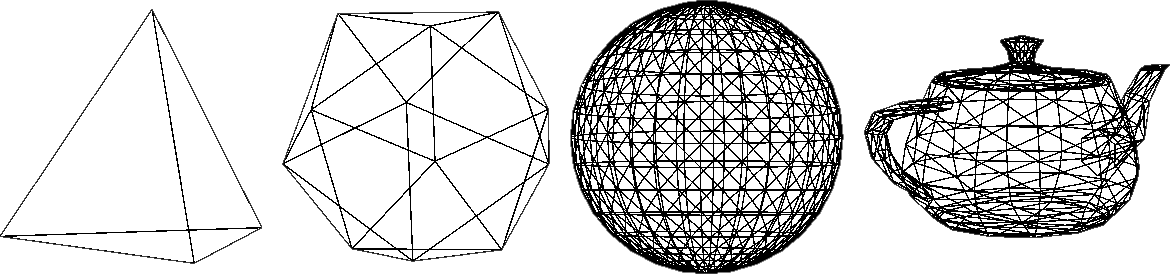
The game world contains a few polygons from DirectXTK12's GeometricPrimitive. These polygons consist of a list of vertices and a list of edges joining them to form a triangle mesh. For example, Fig. 3 shows a 3D rendering of the edges in (from left to right) a tetrahedron, a dodecahedron, a sphere, and a teapot from GeometricPrimitive. Notice that curves such as those in the sphere and teapot are approximated by a series of straight lines.
The circumradius of a convex polygon mesh is the radius of the sphere that passes through all vertices. The in-radius of a convex polygon mesh is the radius of the largest sphere that can fit inside the polygon. This is usualy the height of the center of the polygon when one face rests on the ground.
A regular tetrahedron has 4 vertices, 6 edges, and 4 triangular faces. The tetrahedron object is an instance of CObject created in CObjectManager::Create, which takes as a parameter an instance descriptor CInstanceDesc. CInstanceDesc has useful parameters for the object instance to be created including its orientation CInstanceDesc::m_qOrientation and scale CInstanceDesc::m_fScale.
The tetrahedron mesh is created in CRenderer::UploadPrimitiveMesh by calling DirectX::GeometricPrimitive::CreateTetrahedron. CRenderer::UploadPrimitiveMesh is called from CRenderer::LoadGeometricPrimitives, which is called from CGame::Initialize. The default polygon mesh created by DirectX::GeometricPrimitive::CreateTetrahedron has circumradius 1. The Cartesian coordinates of the vertices of a regular tetrahedron of circumradius 1 are
\[ (-\sqrt{2}/3, \sqrt{2}/\sqrt{3}, -1/3)\\ (2\sqrt{2}/3, 0, -1/3)\\ (-\sqrt{2}/3, -\sqrt{2}/\sqrt{3}, -1/3)\\ (0, 0, 1) \]
Its edge length is therefore \(2 \sqrt{2}/\sqrt{3}\). The in-radius of a tetrahedron of edge length \(1\) is \(1/2\sqrt{6}\). The in-radius of the tetrahedron created by DirectX::GeometricPrimitive::CreateTetrahedron is therefore \(2 \sqrt{2}/\sqrt{3}\) divided by \(2\sqrt{6}\), that is, \(1/3\).
We ask DirectX::GeometricPrimitive::CreateTetrahedron to create a polygon mesh of circumradius CCommon::m_fTetrahedronSize, which is a constant set to 16.0f. This will have an in-radius of CCommon::m_fTetrahedronSize/3. Therefore the scale and vertical height of the tetrahedron object instance descriptor CGame::CreateObjects are m_fTetrahedronSize and m_fTetrahedronSize/3.0f, respectively.
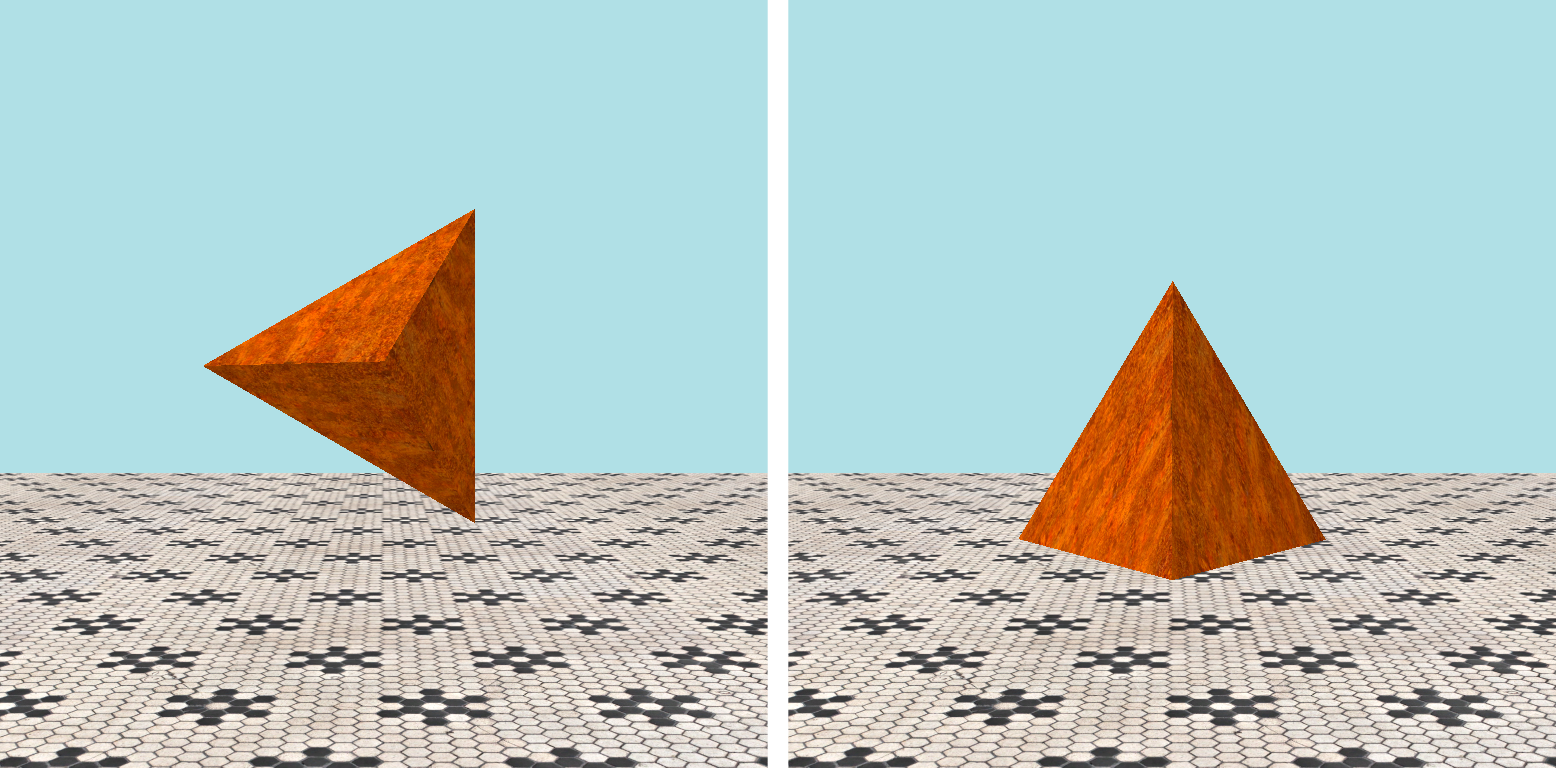
The tetrahedron mesh created by DirectX::GeometricPrimitive::CreateTetrahedron has default orientation is shown in Fig. 4, whereas we want its initial orientation to be with one face flat on the ground as shown in the appropriate frame of Fig. 1. This can be fixed by rotating it by \(\pi/2\) around its X-axis. We also rotate it \(\pi\) around the Y-axis so that an edge faces the camera. Therefore the m_qOrientation field of the instance descriptor used to create the tetrahedron object in CGame::CreateObjects is DirectX::SimpleMath::Quaternion::CreateFromYawPitchRoll(XM_PI, -XM_PIDIV2, 0).
A regular dodecahedron has 20 vertices, 30 edges, and 12 pentagonal faces. The dodecahedron object is an instance of CObject created in CObjectManager::Create, which takes as a parameter an instance descriptor CInstanceDesc. CInstanceDesc has useful parameters for the object instance to be created including its orientation CInstanceDesc::m_qOrientation and scale CInstanceDesc::m_fScale.
The dodecahedron mesh is created in CRenderer::UploadPrimitiveMesh by calling DirectX::GeometricPrimitive::CreateDodecahedron. CRenderer::UploadPrimitiveMesh is called from CRenderer::LoadGeometricPrimitives, which is called from CGame::Initialize. The default polygon mesh created by DirectX::GeometricPrimitive::CreateDodecahedron has circumradius \(1\). The Cartesian coordinates of the vertices of a regular dodecahedron of circumradius \(\sqrt{3}\) are
\[ (0, \pm \phi, \pm 1/\phi)\\ (\pm 1, \pm 1, \pm 1)\\ (\pm 1/\phi, 0, \pm \phi)\\ (\pm \phi, \pm 1/\phi, 0) \]
where \(\phi = (\sqrt{5} + 1)/2\). Its edge length is \(2/\phi = \sqrt{5} - 1\). The Cartesian coordinates of the vertices of a regular dodecahedron of circumradius \(1\) can be obtained by multiplying these points by \(1/\sqrt{3}\). This will have edge length \((\sqrt{5} - 1)/\sqrt{3}\).
The in-radius of a dodecahedron of edge length \(1\) is \(\sqrt{250+110\sqrt{5}}/40\). The in-radius of the dodecahedron created by DirectX::GeometricPrimitive::CreateDodecahedron is therefore \(\sqrt{250+110\sqrt{5}}/40\) divided by \((\sqrt{5} - 1)/\sqrt{3}\), that is, \(\sqrt{750+330\sqrt{5}}/40(\sqrt{5}-1)\).
We ask DirectX::GeometricPrimitive::CreateDodecahedron to create a polygon mesh of circumradius CCommon::m_fDodecahedronSize, which is a constant set to 16.0f. This will have an in-radius of CCommon::m_fDodecahedronSize/3. Therefore the scale and vertical height of the dodecahedron object instance descriptor CGame::CreateObjects are m_fDodecahedronSize and m_fDodecahedronSize*sqrtf(750.0f + 330.0f*sqrtf(5))/(40.0f*(sqrtf(5) - 1.0f));, respectively.
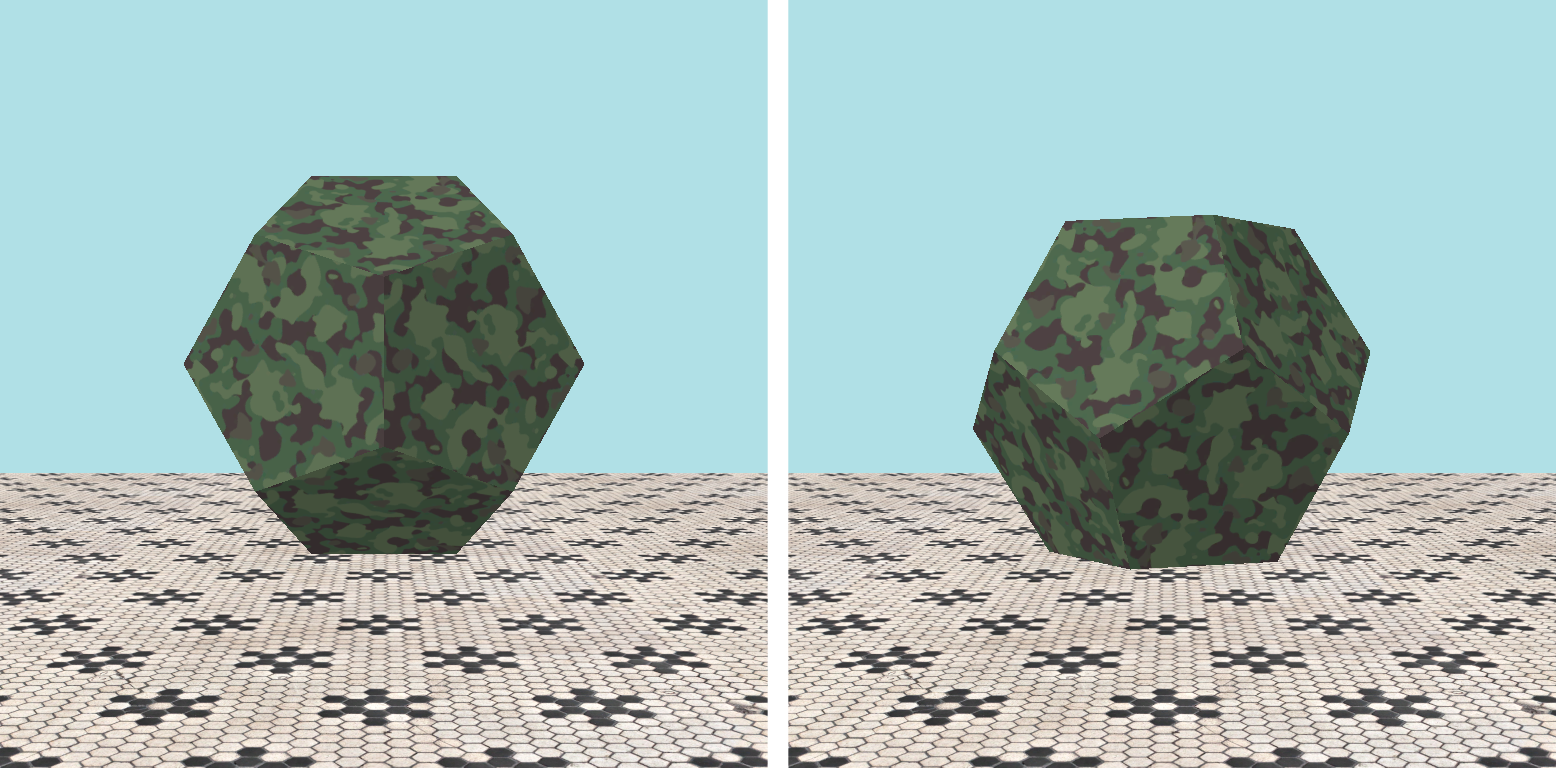
The dodecahedron mesh created by DirectX::GeometricPrimitive::CreateDodecahedron has default orientation is shown in Fig. 5, whereas we want its initial orientation to be with one face flat on the ground as shown in the appropriate frame of Fig. 1. This can be fixed by rotating it around its Z-axis by one half the dihedral angle, which is the angle between two adjacent faces. The dihedral angle of a regular dodecahedron is \(2 \arctan \phi = \pi - \arctan(2)\). Therefore the m_qOrientation field of the instance descriptor used to create the dodecahedron object in CGame::CreateObjects is DirectX::SimpleMath::Quaternion::CreateFromAxisAngle(Vector3::UnitZ, (XM_PI - atanf(2.0f))/2.0f).
A regular icosahedron has 12 vertices, 30 edges, and 20 triangular faces. The icosahedron object is an instance of CObject created in CObjectManager::Create, which takes as a parameter an instance descriptor CInstanceDesc. CInstanceDesc has useful parameters for the object instance to be created including its orientation CInstanceDesc::m_qOrientation and scale CInstanceDesc::m_fScale.
The icosahedron mesh is created in CRenderer::UploadPrimitiveMesh by calling DirectX::GeometricPrimitive::CreateIcosahedron. CRenderer::UploadPrimitiveMesh is called from CRenderer::LoadGeometricPrimitives, which is called from CGame::Initialize. The default polygon mesh created by DirectX::GeometricPrimitive::CreateIcosahedron has circumradius \(1\). The Cartesian coordinates of the vertices of a regular icosahedron of circumradius \(\sqrt{\phi + 2}\) are
\[ (0, \pm 2, \pm \phi)\\ (\pm 1, \pm \phi, )\\ (\pm 1/\phi, 0, \pm \phi)\\ (\pm \phi, 0, \pm \phi) \]
where \(\phi = (\sqrt{5} + 1)/2\).
The in-radius of the icosahedron created by DirectX::GeometricPrimitive::CreateIcosahedron is equal to \(1\). Therefore the scale and vertical height of the icosahedron object instance descriptor CGame::CreateObjects are both equal to m_IcosahedronSize.
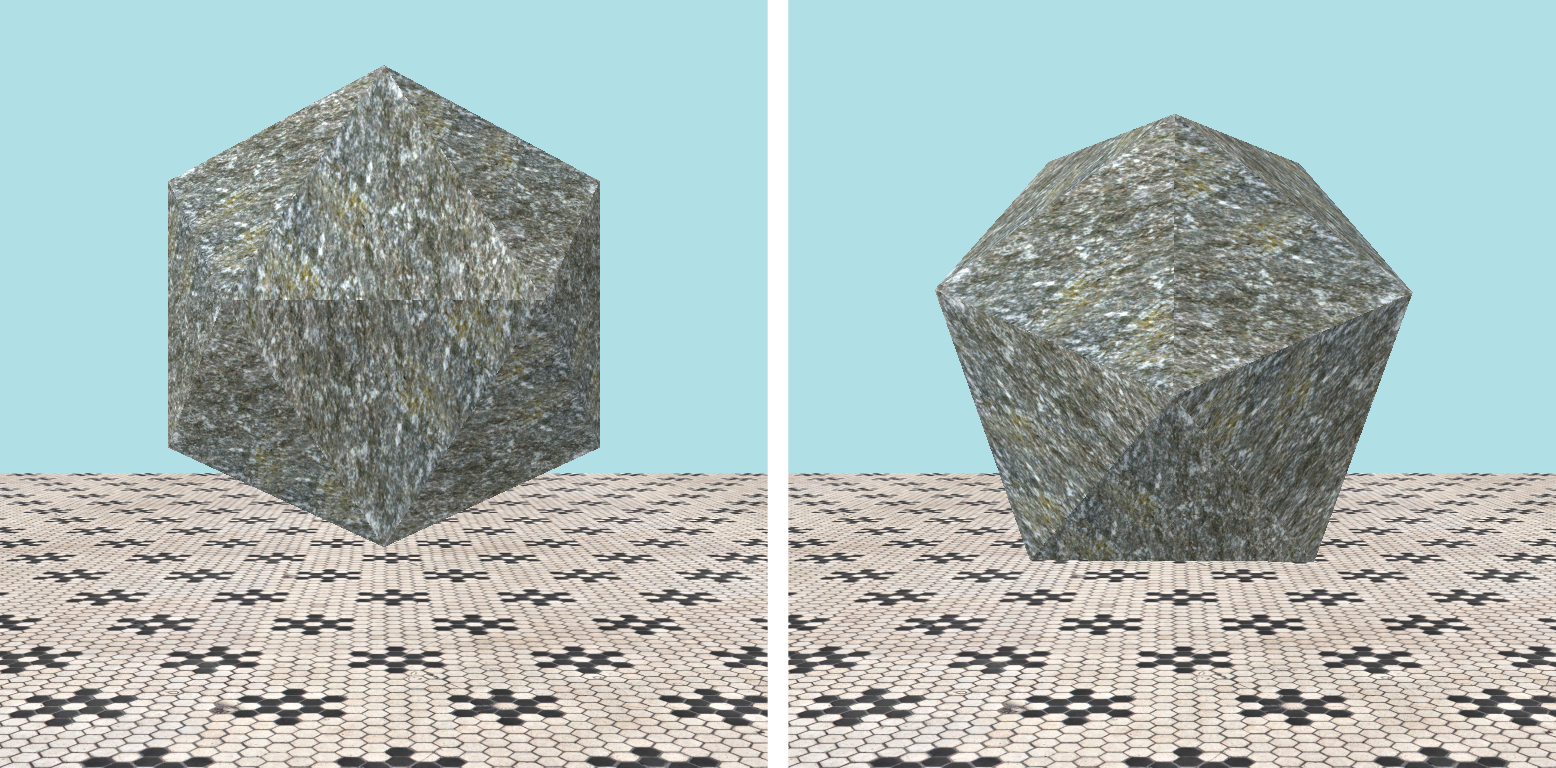
The icosahedron mesh created by DirectX::GeometricPrimitive::CreateIcosahedron has default orientation is shown in Fig. 6, whereas we want its initial orientation to be with one face flat on the ground as shown in the appropriate frame of Fig. 1. This can be fixed by rotating it around its X-axis by one half the dihedral angle, which is the angle between two adjacent faces. The dihedral angle of a regular icosahedron is \(\pi - \arccos(\sqrt{5}/3)\). Therefore the m_qOrientation field of the instance descriptor used to create the icosahedron object in CGame::CreateObjects is DirectX::SimpleMath::Quaternion::CreateFromAxisAngle(Vector3::UnitX, (XM_PI - acosf(sqrtf(5)/3.0f)/2.0f).
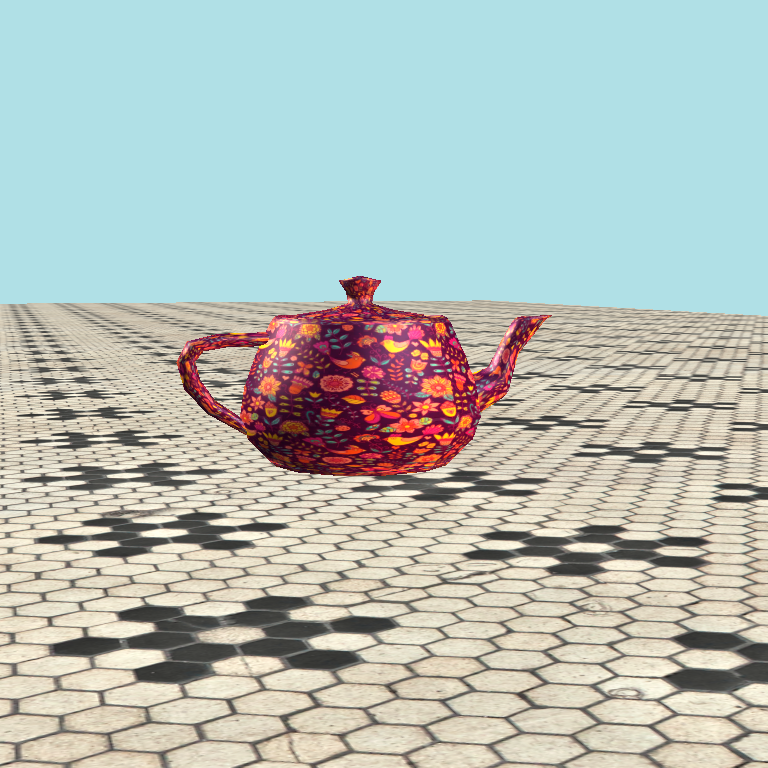
Amusingly, the geometric primitives provided by DirectX include the teapot (commonly known as the Utah teapot). Our teapot is shown in Fig. 7.
The teapot object is an instance of CObject created in CObjectManager::Create, which takes as a parameter an instance descriptor CInstanceDesc. CInstanceDesc has useful parameters for the object instance to be created including its orientation CInstanceDesc::m_qOrientation and scale CInstanceDesc::m_fScale.
The teapot mesh is created in CRenderer::UploadPrimitiveMesh by calling DirectX::GeometricPrimitive::CreateTeapot. CRenderer::UploadPrimitiveMesh is called from CRenderer::LoadGeometricPrimitives, which is called from CGame::Initialize.
This section will describe how Bullet Physics is integrated into our code. It is divided into five subsections. Section 5.2.1 briefly touches on Bullet Physics units. Section 5.2.2 describes some Bullet Physics core objects. Section 5.2.3 introduces Bullet Physics bodies. Section 5.2.4 shows you the Bullet Physics update step. Section 5.2.5 describes how collision sounds are generated using Bullet Physics callback functions.
Bullet Physics has its own scalar btScalar, which will be equivalent to a float if you followed the installation instructions carefully. If you left BT_USE_DOUBLE_PRECISION set to true, then btScalar will be a double, which will lead to unnecessary compiler warnings about implicit type casting. It also has a 3D vector btVector3 equivalent to DirectX::SimpleMath::Vector3, and a quaternion type btQuaternion equivalent to DirectX::SimpleMath::Quaternion. GameDefines.h contains the appropriate PW2RW and RW2PW functions to cast and scale to and from physics world and render world, respectively.
CCommon contains a pointer to the Bullet physics world.
static btDiscreteDynamicsWorld* m_pPhysicsWorld;
It also has pointers to other useful Bullet Physics objects, a default collision configuration, a collision dispatcher, a broad phase interface, and a sequential impulse constraint solver.
static btDefaultCollisionConfiguration* m_pConfig;
static btCollisionDispatcher* m_pDispatcher;
static btBroadphaseInterface* m_pBroadphase;
static btSequentialImpulseConstraintSolver* m_pSolver;
These common variables are initialized in CGame::InitBulletPhysics, where the gravity is also set to a hard-coded and somewhat arbitrary value. CGame::InitBulletPhysics is called by CGame::Initialize which also performs other initialization tasks such as loading primitives and sounds and creating the renderer and the object manager.
Each object in our 3D world will be represented by an instance of CObject. The CObject constructor CObject::CObject takes as parameters t, a member of the enumerated type eObject (defined in GameDefines.h) indicating the object type, and d a const reference to an instance of CInstanceDesc filled in with the desired properties of this object instance. It proceeds as follows. A local pointer pShape to an instance of btCollisionShape is declared, then set in a switch statement. If the object is a model, then an instance of btBoxShape for an AABB of the model is used for the shape. If the object is a sphere, then an instance of btSphereShape is used for the shape. If the object is a box or a plane, an instance of btBoxShape is used for the shape. The default, which means that the object is a regular tetrahedron, dodecahedron, icosahedron, or a teapot, then the convex hull of the object created by CObject::ComputeConvexHull is used for the shape. The remainder of the CObject::CObject code creates a physics body for the shape and sets various important attributes. This body is then added to Physics World by calling btDiscreteDynamicsWorld::addRigidBody.
Once per frame in CGame::ProcessFrame we call
m_pPhysicsWorld->stepSimulation(t, 4);
where the first parameter t is the frame time (fixed to \(1/60\) of a second in CGame::Initialize) and the second parameter is the number of physics iterations per render frame.
To make things a little neater we define a contact descriptor CContactDesc to record information about collisions, specifically, the number of contact points CContactDesc::m_nNumContacts and the magnitude of the collision impulse CContactDesc::m_fImpulse.
MyTickCallback.cpp contains a C-style function myTickCallback that will be called at the end of each physics tick. It has two parameters, the first of which is a pointer to Physics World (that is, CCommon::m_pPhysicsWorld) and the second of which is not used in this code. This is set by calling
m_pPhysicsWorld->setInternalTickCallback(myTickCallback);
in CGame::Initialize. Function myTickCallback processes each collision by iterating through the btDispatcher's btPersistentManifolds, getting pointers to the two btRigidBodys involved from which it obtains pointers to the corresponding two CObjects. From this it fills in an instance of CContactDesc, which it adds to one of the CObjects by calling its CObject::AddContact function. This is inserted into CObject::m_mapContact. Later, when CObject::PlayCollisionSounds is called from CObjectManager::Update (which is called from CGame::ProcessFrame immediately after the call to m_pPhysicsWorld->stepSimulation, which triggers the calls to myTickCallback from Bullet Physics), CObject::m_mapContact is used to play the appropriate collision sounds depending on the object types eObject of the objects colliding.
For the following problems you can either work directly in the folder 15. Bullet Physics Block Toy in your copy of the sage-physics repository, or (recommended) make a copy of the folder 15. Bullet Physics Block Toy in some place convenient (for example, the Desktop or your Documents folder) and work there.
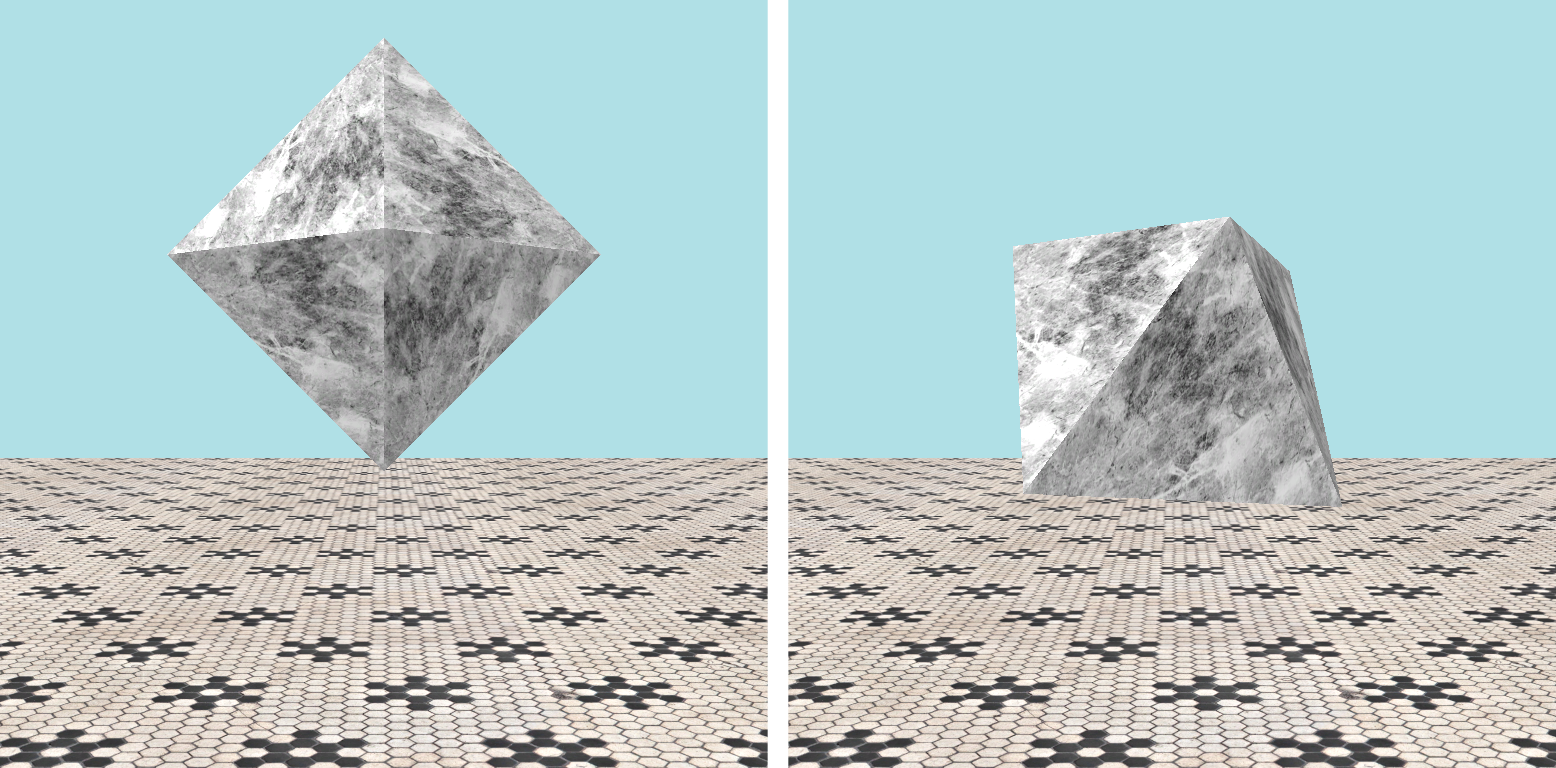
In GameDefines.h, add Octahedron to the definition of eMesh and add Octahedron to the definition of eObject. Then, eObject::Octahedron denote the type of an octahedron object and eMesh::Octahedron will denote the polygon mesh of an octahedron (which potentially be used for many octahedron oblects).
In CCommon, add the following protected member variable. You can modify this value to change the octahedron's size.
const float m_fOctahedronSize = 24.0f;
In CGame::CreateObjects, add the following code to create the octagon object.
d.m_eModelType = eModel::Unknown;
d.m_eMeshType = eMesh::Octahedron;
d.m_fScale = m_fOctahedronSize;
d.m_vPos = Vector3(-200.0f, d.m_fScale/sqrtf(6.0f), -100.0f);
const Vector3 v = Sage::Normalize(Vector3::UnitZ - Vector3::UnitX);
d.m_qOrientation = Quaternion::CreateFromAxisAngle(v, XM_PI/3.0f);
d.m_fMass = 3.0f;
d.m_fRestitution = 1.0f;
d.m_fFriction = 0.9f;

m_pObjectManager->Create(eObject::Octahedron, d);
The initial position d.m_vPos and orientation d.m_qOrientation need some explanation. The line
d.m_vPos = Vector3(-200.0f, d.m_fScale/sqrtf(6.0f), -100.0f);
sets the position of the center of the octahedron, which is at \((x, z) = (-200, -100)\) on the plane of the floor. Note that GeometricPrimitive::CreateOctahedron creates an octagon mesh for an octagon of unit side and that the in-radius of such an octagon is \(1/\sqrt{6}\). We will be scaling up by d.m_fScale, which gives an octahedron of side d.m_fScale and in-radius d.m_fScale/sqrtf(6.0f), assuming that we can rotate it so that a flat face is parallel to the ground. The \(y\) coordinate of d.m_vPos is therefore set to d.m_fScale/sqrtf(6.0f). Unfortunately GeometricPrimitive::CreateOctahedron creates an octahedron mesh with the point down as shown in Fig. 8 (left). We can bring a face parallel to the floor by rotating about an axis parallel to a horizontal edge by \(\pi/3\). We will use the axis of rotation to be in the direction of \((-1, 0, 1)\), which we obtain by subtracting the unit \(x\) vector from the unit \(y\) vector and normalizing the result v.
const Vector3 v = Sage::Normalize(Vector3::UnitZ - Vector3::UnitX);
The octahedron's orientation is therefore the quaternion that rotates about v by \(\pi/3\):
d.m_qOrientation = Quaternion::CreateFromAxisAngle(v, XM_PI/3.0f)
In the switch statement of CRenderer::UploadPrimitiveMesh, add the following to create the octagon mesh.
case eMesh::Octahedron: GeometricPrimitive::CreateOctahedron(
  pDesc->m_vecVertexBuffer, pDesc->m_vecIndexBuffer, pDesc->m_fScale);
  break;
CRenderer::LoadGeometricPrimitives, add the following code which creates a mesh descriptor, sets the scale to CCommon::m_fOctahedronSize, textures it with a marble texture (which is already set in GameSettings.xml to the file Media\Textures\marble.dds which in turn is provided in the Bullet Physics Block Toy), sets the default effect (lighting etc.), and uploads the mesh by calling CRenderer::UploadPrimitiveMesh, which you updated in the previous step. pDesc = new CMeshDesc(eMesh::Octahedron);
pDesc->m_fScale = m_fOctahedronSize;
UploadTexture("marble", eMesh::Octahedron);
UploadDefaultEffect(pDesc);
UploadPrimitiveMesh(pDesc);
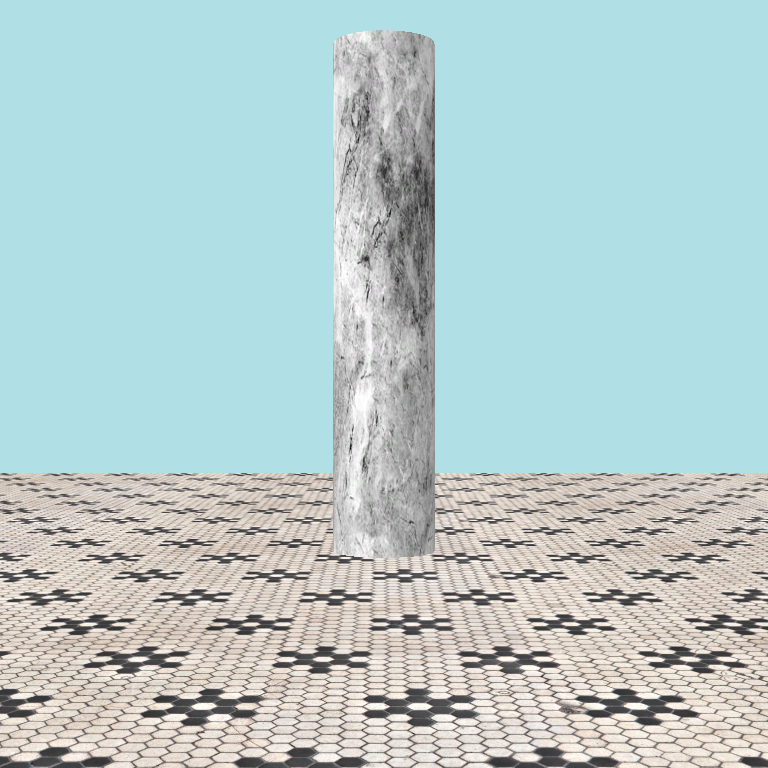
eMesh::Cylinder of radius \(8\) and height \(40\) at position \((x, z) = (80, -100)\) with the marble texture, as shown in Fig. 9. 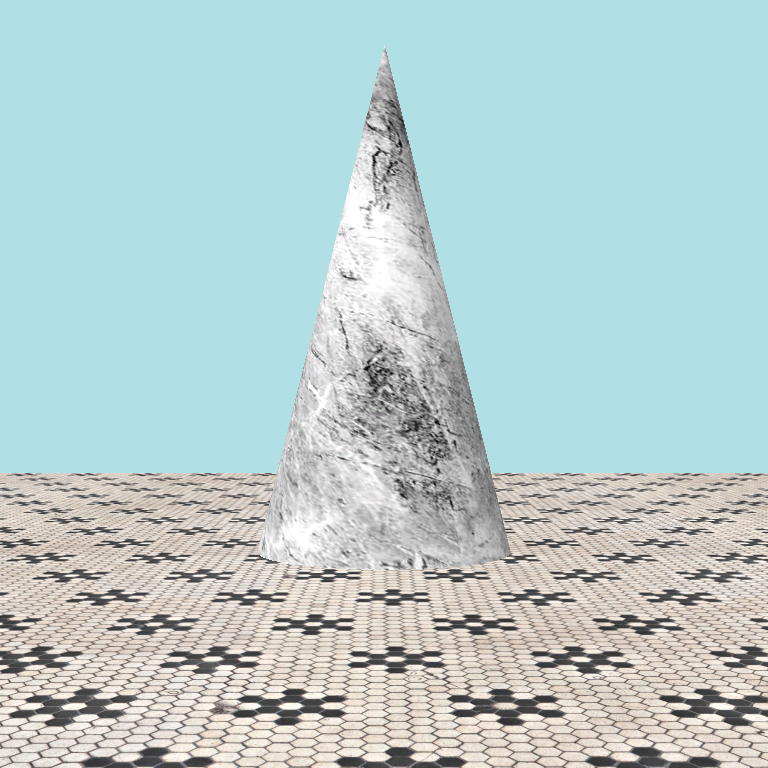
eMesh::Cone of radius \(20\) and height \(40\) at position \((x, z) = (120, -100)\) with the marble texture, as shown in Fig. 10. 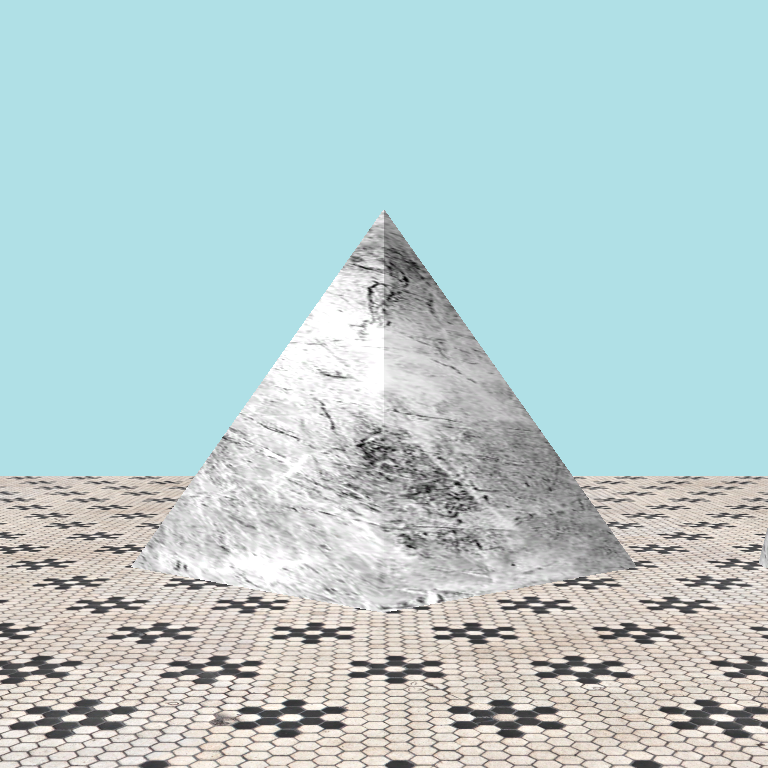
eMesh::Pyramid of height \(40\) and the appropriate radius needed to make the triangle sides equilateral (you'll need to do some geometry) at position \((x, z) = (160, -100)\) with the marble texture, as shown in Fig. 11. Unfortunately GeometricPrimitive does not have a CreatePyramid function, but GeometricPrimitive::CreateCone has an optional fifth parameter that specifies the number of sides in cone's base (recalling from Section 5.1 that the circular base is approximated by a series of straight lines). Simply create the pyramid mesh by calling GeometricPrimitive::CreateCone(pDesc->m_vecVertexBuffer, pDesc->m_vecIndexBuffer, pDesc->m_fRadius, pDesc->m_fScale, 4);
This 3D toy is pretty rudimentary. Here is a To Do list of things that I need to get around to doing.
Model, but there seems to be no local copy. I can either override the DirectX function that loads from an sdkmesh or bite the bullet and write an obj file loader (saving a local copy of the vertex buffer in either).obj file reader might be a good idea anyway. While you might prefer to shop a game with models in sdkmesh format, it might be better if we could use objs in class.gamesettings.xml along with the other settings instead. Derive a class from Sage::CSettings and write the code for this.  1.12.0