 |
Collision Math Toy
Game Physics with Bespoke Code
|
Loading...
Searching...
No Matches
|
Collision Math Toy
Game Physics with Bespoke Code
|
The game class. More...
#include <Game.h>
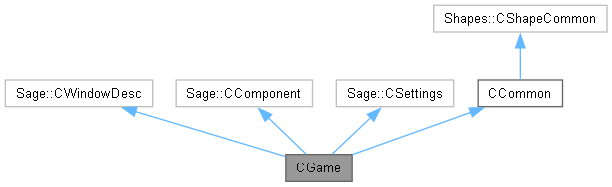
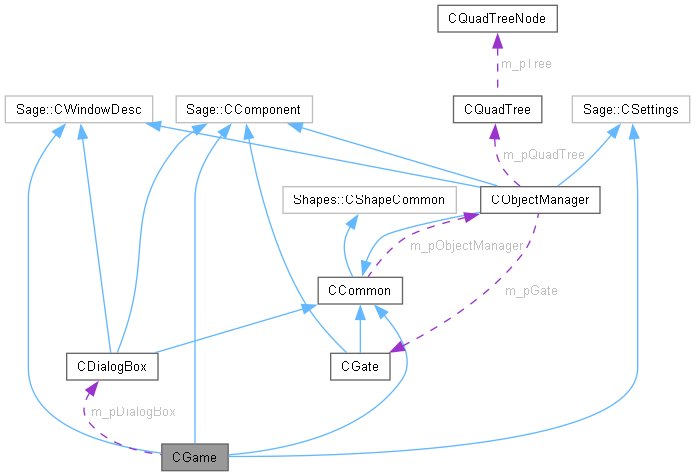
Public Member Functions | |
| ~CGame () | |
| Destructor. | |
| void | Initialize () |
| Initialize the game. | |
| void | ProcessFrame () |
| Process an animation frame. | |
| void | Release () |
| Release the renderer. | |
Private Member Functions | |
| void | LoadSprites () |
| Load sprites. | |
| void | LoadSounds () |
| Load sounds. | |
| void | BeginGame () |
| Begin playing the game. | |
| void | RenderFrame () |
| Render an animation frame. | |
| void | ProcessState () |
| Process game state. | |
| void | Launch () |
| Create and launch a ball. | |
| void | ProcessLaunch () |
| Process launch and multilaunch. | |
Private Attributes | |
| eGameState | m_eGameState = eGameState::Loading |
| Game state. | |
| CDialogBox * | m_pDialogBox = nullptr |
| Pointer to a dialog box. | |
Additional Inherited Members | |
 Static Protected Attributes inherited from CCommon Static Protected Attributes inherited from CCommon | |
| static Sage::CSpriteRenderer * | m_pRenderer = nullptr |
| Pointer to the renderer. | |
| static CObjectManager * | m_pObjectManager = nullptr |
| Pointer to the object manager. | |
| static Sage::CParticleEngine2D * | m_pFrontParticleEngine = nullptr |
| Ptr to front particle engine. | |
| static Sage::CParticleEngine2D * | m_pBackParticleEngine = nullptr |
| Ptr to back particle engine. | |
| static bool | m_bShowTrack = false |
| Show trail of breadcrumbs. | |
| static bool | m_bShowReticles = false |
| Show reticle at hit point. | |
| static bool | m_bShowImpacts = false |
| Draw dots at collision points. | |
| static bool | m_bShowArrows = false |
| Draw arrows for velocity vectors. | |
| static bool | m_bShowTangents = false |
| Draw arrows for tangents. | |
| static bool | m_bShowSectors = false |
| Draw arc sentinels and normals. | |
| static bool | m_bShowAABBs = false |
| Draw shape AABBs. | |
| static bool | m_bShowLights = false |
| Light up shapes on collision. | |
| static bool | m_bRotate = false |
| Rotate kinematic shapes. | |
| static bool | m_bLaunch = false |
| Launch a ball. | |
| static bool | m_bMute = false |
| Mute the sound. | |
| static float | m_fNextBallScale = 0.5f |
| Scale factor for ball size. | |
| static int | m_nMIterationsInit = 4 |
| Initial number of motion iterations. | |
| static int | m_nCIterationsInit = 6 |
| Initial number of collision iterations. | |
| static int | m_nMIterations = CCommon::m_nMIterationsInit |
| Current number of motion iterations. | |
| static int | m_nCIterations = CCommon::m_nCIterationsInit |
| Current number of collision iterations. | |
| static bool | m_bUseQuadTree = false |
| Whether to use a quadtree. | |
| static HWND | m_hDlg = nullptr |
| Control dialog box handle. | |
| static float | m_fLoad = 0.0f |
| Processor load. | |
| static float | m_fLaunchSpeed = 1000.0f |
| Speed at which the next ball will be launched. | |
| static int | m_nDesiredLaunchCnt = 1 |
| Number of balls to launch at next multilaunch. | |
| static int | m_nLaunched = 0 |
| Number of balls launched in current multilaunch. | |
| static bool | m_bMultiLaunch = false |
| Whether launching multiple balls. | |
| static int | m_nBallsLaunched = 0 |
| Number of balls in play. | |
| static float | m_fFrequency = 60.0f*m_nMIterations |
| Frequency, number of physics iterations per second. | |
The game class is the object-oriented implementation of the game. This class must contain the following public member functions. Initialize() does initialization and will be run exactly once at the start of the game. ProcessFrame() will be called once per frame to create and render the next animation frame. Release() will be called at game exit but before any destructors are run.
| CGame::~CGame | ( | ) |
Delete the particle engines, dialog box, and the object manager.
|
private |
Clear any old objects out of the object manager and create some new ones.


| void CGame::Initialize | ( | ) |
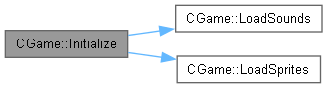
Initialize the game as follows. Set the timer. Create the renderer, the particle engines, the object manager, and the dialog box. Load images and sounds from files.

|
private |
Create a ball and launch it. Play the launch sound.


|
private |
Create a media list Sage::CMediaList of eSound. For each sound, insert into the media list a pair consisting of an instance of the sound enumerated type eSound and the corresponding string used in the name field in a <sound> tag in GameSettings.xml. Pass the media list to the sound manager for loading.

|
private |
Create a media list Sage::CMediaList of eSprite. For each sprite, insert into the media list a pair consisting of an instance of the sprite enumerated type eSprite and the corresponding string used in the name field in a <sprite> tag in GameSettings.xml. Pass the media list to the renderer for loading.

| void CGame::ProcessFrame | ( | ) |
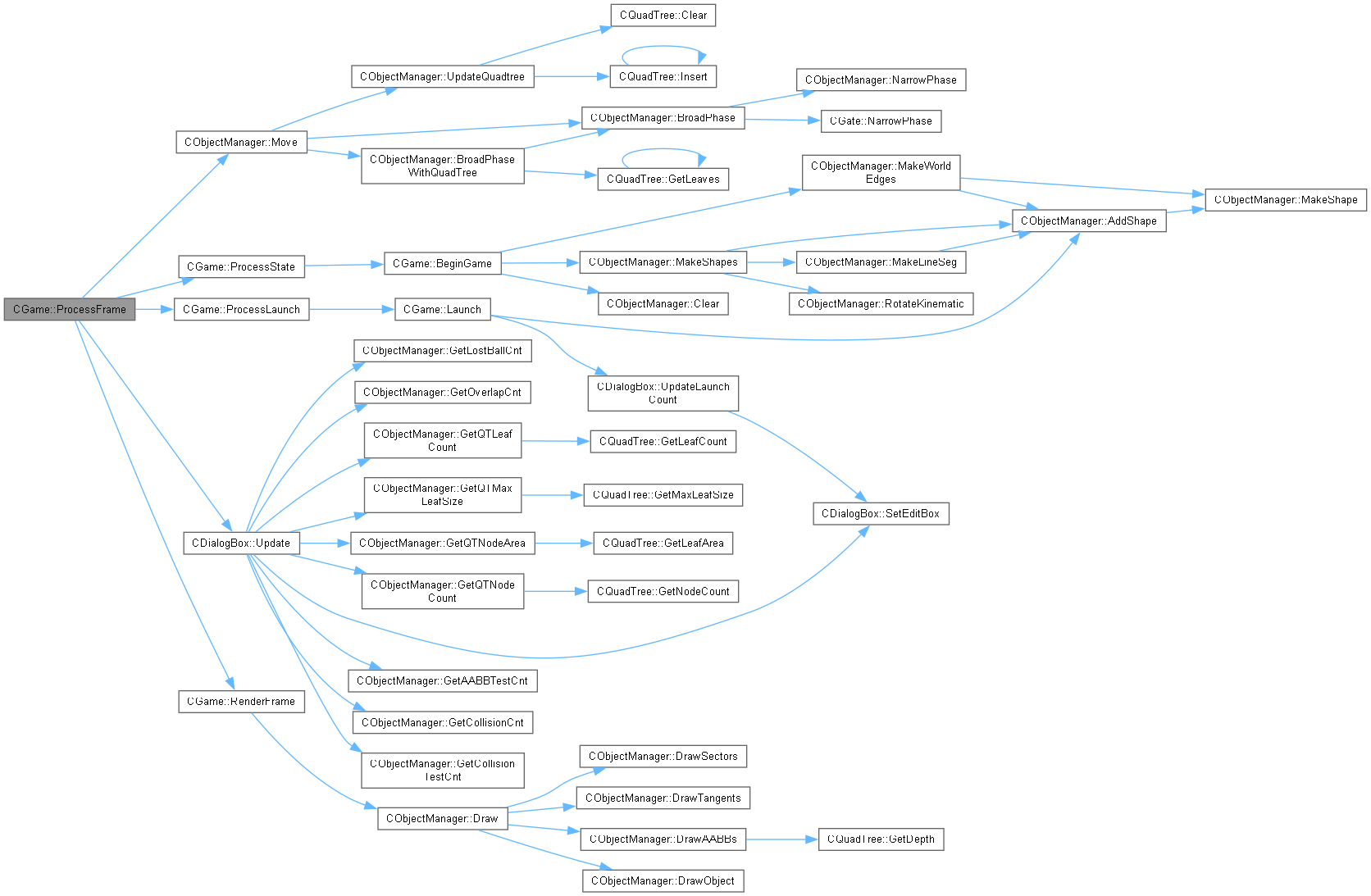
Move the game objects and render them in their new positions and orientations. Notify the audio player at the start of each frame so that it can prevent multiple copies of a sound from starting on the same frame. Ask the particle engines to animate a frame for their particles and update the dialog box so that it shows reasonable up-to-date information in its edit boxes. If m_bLaunch has been set by the dialog box, then launch a ball.

|
private |
If the launch flag is set, launch a single ball and unset the flag. If the multilaunch flag is set, check whether enough time has passed to separate the balls by one radius given their launch speed and scale, and launch a new ball if it has. When enough balls have been launched, unset the multilaunch flag.


|
private |
Process any changes to the current game state. If the game is in state eGameState::Loading and both the renderer and the sound manager have finished loading (which may or may not be multithreaded), then begin the game.


| void CGame::Release | ( | ) |
Release all of the DirectX12 objects by deleting the renderer.

|
private |
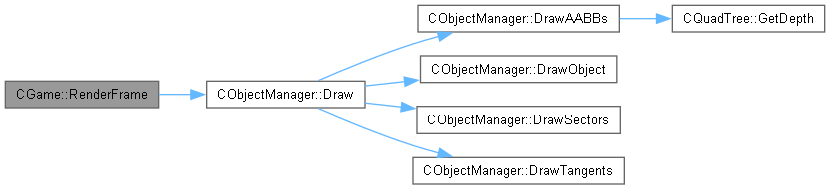
Ask the object manager to draw the game objects. The renderer is notified of the start and end of the frame so that it can let Direct3D do its pipelining jiggery-pokery. In addition, draw the gate sprite on top of everything else and keep a record of the amount of time spent rendering and the amount of time waiting for the page flip. This will enable us to display an approximation to the processor load in the dialog box.

 1.12.0