 |
Euler Integration
|
|
Euler Integration
|
Computer animation is a matter of composing and showing a series of images called frames as fast as the hardware can compute and display them. For each animation frame we must move the objects according to their velocity, acceleration, and the time since the last frame was shown. If the frames are rendered fast enough, then the human visual system interprets this as smooth motion.
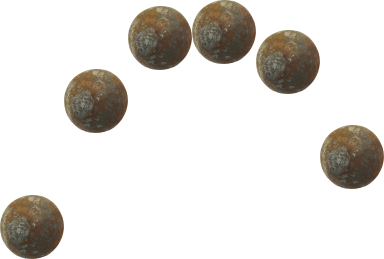
For example, Fig. 1 is an animated gif shown at full speed that appears to show a smoothly bouncing cannonball. It is actually made up to 10 individual frames, each showing the cannonball in a different place.
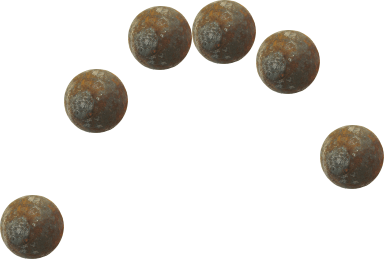
Fig. 2 shows the animation from Fig. 1 slowed down so that you can see the individual frames. Fig. 3 shows the individual frames side-by-side (of course, this forms a parabola).
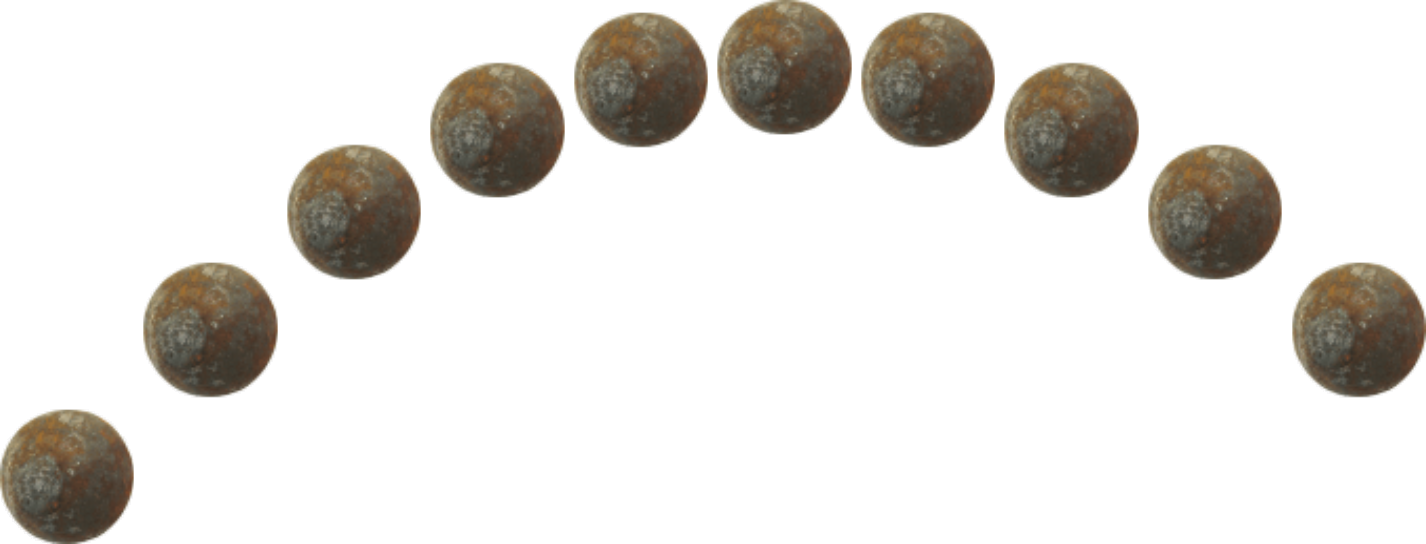
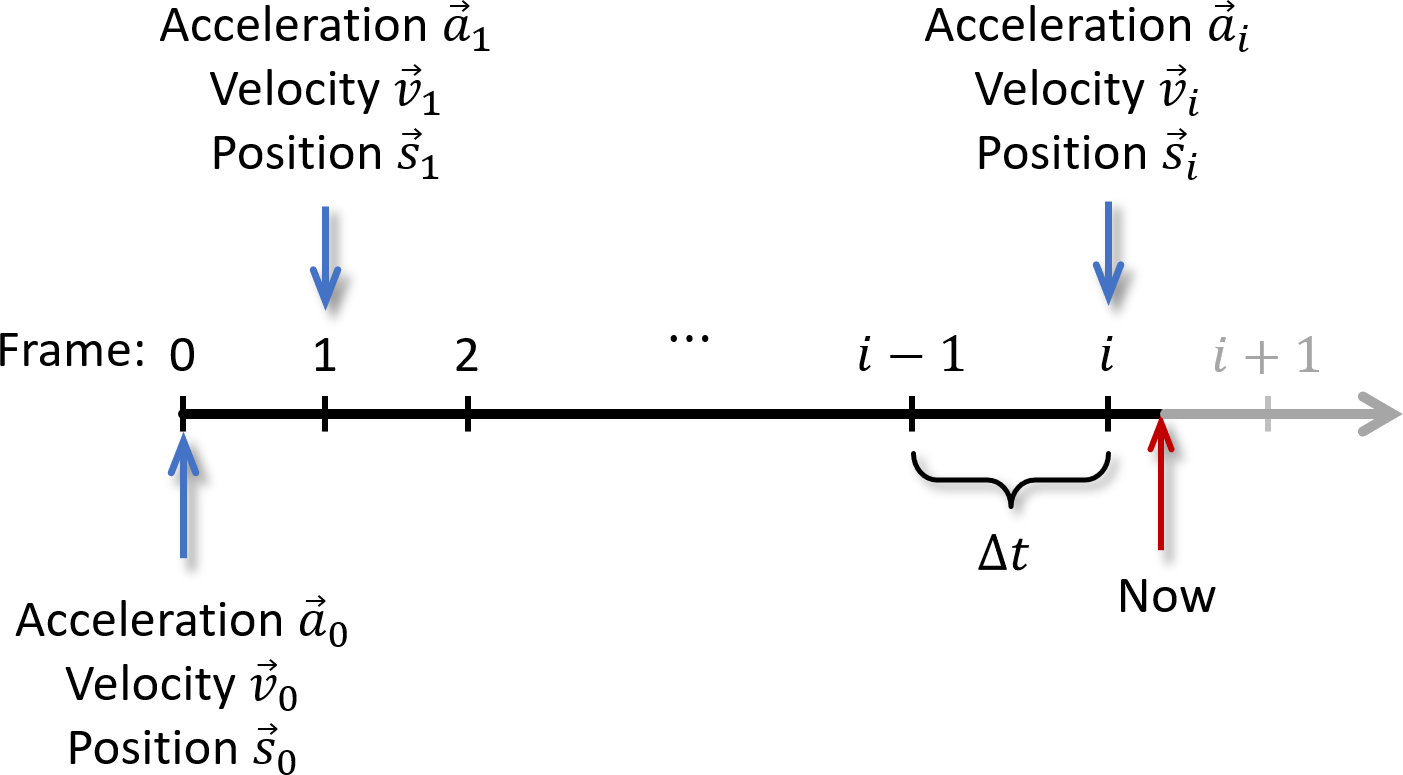
Fig. 4 shows a time line in which each numbered tick mark shows the time at which a new animation frame is rendered to the screen. The time between tick marks is used to compute where the objects will be when the next frame is rendered. The time marked "Now" with a red arrow is the current time, when frame \(i\) has been rendered and we need to compose frame \(i+1\). We will have stored the acceleration \(\vec{a}_i\), velocity \(\vec{v}_i\), and position \(\vec{s}_i\), from the previous frame, and we can guess that \(\Delta t\), the time between frames, will be the same as the previous frame. Lets assume that the acceleration remains constant. Then we can compute \(\vec{s}_{i+1} = vec{s}_i \Delta t\) and \(\vec{v}_{i+1} = vec{v}_i \Delta t\) ready for when the next frame must be rendered at time \(i+1\).
Our game objects will typically be represented by a class called CObject which will have member variables for storing things such as the object's position, orientation, velocity, and sprite (in 2D) or mesh (in 3D). Suppose its position is stored in a member variable m_vPos, its velocity in a member variable m_vVel, and its acceleration in a member variable m_vAccel. Using SAGE we can get the frame time and store it in a local floating point variable called t, say. CObject typically has a Move function similar to this:
void CObject::Move(){
  m_vPos += m_vVel*t;
  m_vVel += m_vAccel*t;
} //Move
So why have we called this Euler Integration? What has integration got to do with it? Suppose we have an object that starts at rest, then falls under gravity for 30 seconds with a frame time of \(t=1\) second. Let \(s_i\) be the change in position in frame \(i\). Then its position after 30 seconds is
\[ s = \sum_{i=0}^{30} s_i = \sum_{i=0}^{30} v_i t = \sum_{i=0}^{30} 9.8i t. \]
Fig. 5 shows the change in position per frame. The horizontal axis shows the frame number, and the vertical axis shows the distance moved in that frame. Note that the distance moved per frame increases over time because its velocity is also changing over time because of acceleration due to gravity.
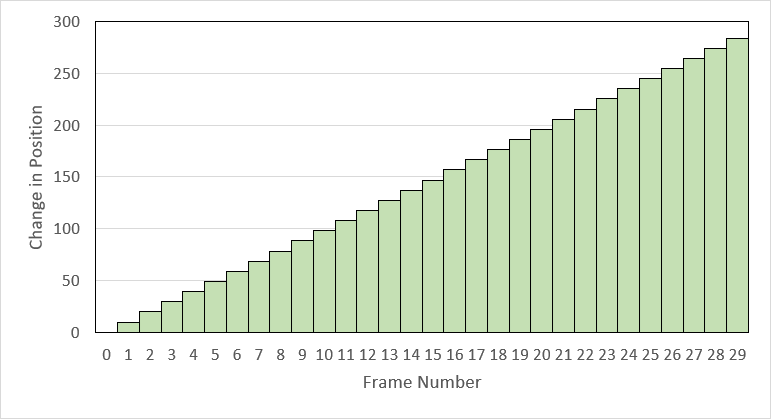
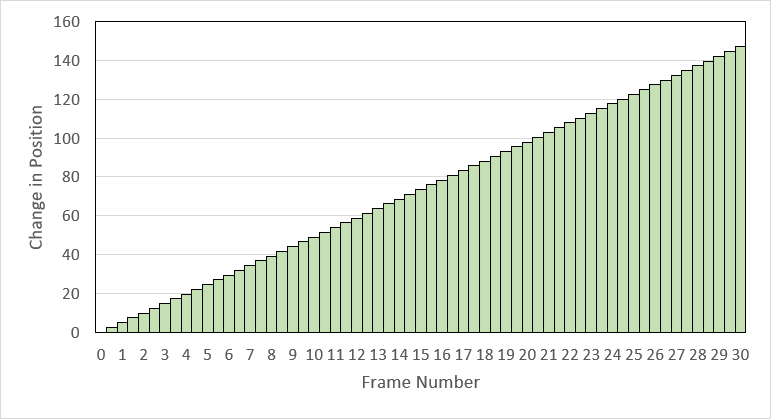
The position of the object after 30 seconds is then the area in green in Fig. 5. If we decrease the frame time \(t\) and add more columns the graph will become more and more continuous. For example, Fig. 6 uses a frame time of \(t=0.5\) and uses \(30/t = 60\) frames, so that
\[ s = \sum_{i=0}^{30/t} s_i = \sum_{i=0}^{30/t} v_i t = \sum_{i=0}^{30/t} 9.8i t. \]
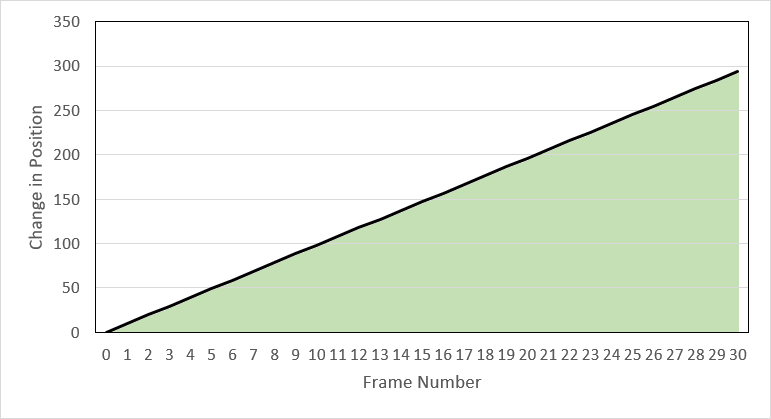
The position of the object in the real world is the area shown in green in Fig. 7,
\[ s = \lim_{t\to 0} \sum_{i=0}^{30/t} 9.8 it = \int_{0}^{30} 9.8t \,dt. \]
Since the indefinite integral
\[ \int 9.8t \,dt = 4.5 t^2 + c \]
this tells us that the final position of the object in the real world is \(4.5\times 30^2 = 4050\). In contrast, the sum of the green areas in Fig. 5 is \(4557\), and that of Fig. 6 is \(4483.5\). This is not the same as the real world, but that doesn't matter. The effect of gravity in the game world doesn't have to be exactly the same as the effect in the real world. In fact, we usually and up tweaking the acceleration due to gravity from 9.8 m/sec/sec to whatever "looks right".
 1.12.0